STORYBOARDStoryboard
Blocking and key moments, in 3D
Each shot splits into panels, with mannequins and objects placed in 3D to set the framing. Faces and clothes come at render time.
Called in the app: 「絵コンテ」
01—PANELSSplitting into panels
One shot, two to four panels
How it splits, how long each panel runs, the cast, set and props are all settled on this tab.
SPLIT
Split into panels
A shot splits into 2–4 panels of a second or more. The whole shot still renders as one video.
CAST
Cast per shot
Cast, set and props come from the ledger. Click a cast member to choose their look (outfit) for that shot.
ANGLE
Three ways to set the angle
“Set it in 3D”, “Point to an image” or “Pick an angle”. Only panels set in 3D get a picture on the storyboard.
ACTION DIRECTOR—02Storyboard
The action director
For each panel it settles the key moment, the speed and force of the move and the pose, and redraws the 3D mock-up at that moment.
Chat AI
CAMERA—02Storyboard
The framing AI (director of photography)
From the composition library it picks each panel's camera height, direction and where people stand, never the same framing twice in a row.
Chat AIYou press
02—3DThe 3D mock-up
Mannequins and objects, at the key moment
The storyboard is a 3D mock-up. Faces and clothes are drawn from the cast's reference images when the shot renders.
CAMERA
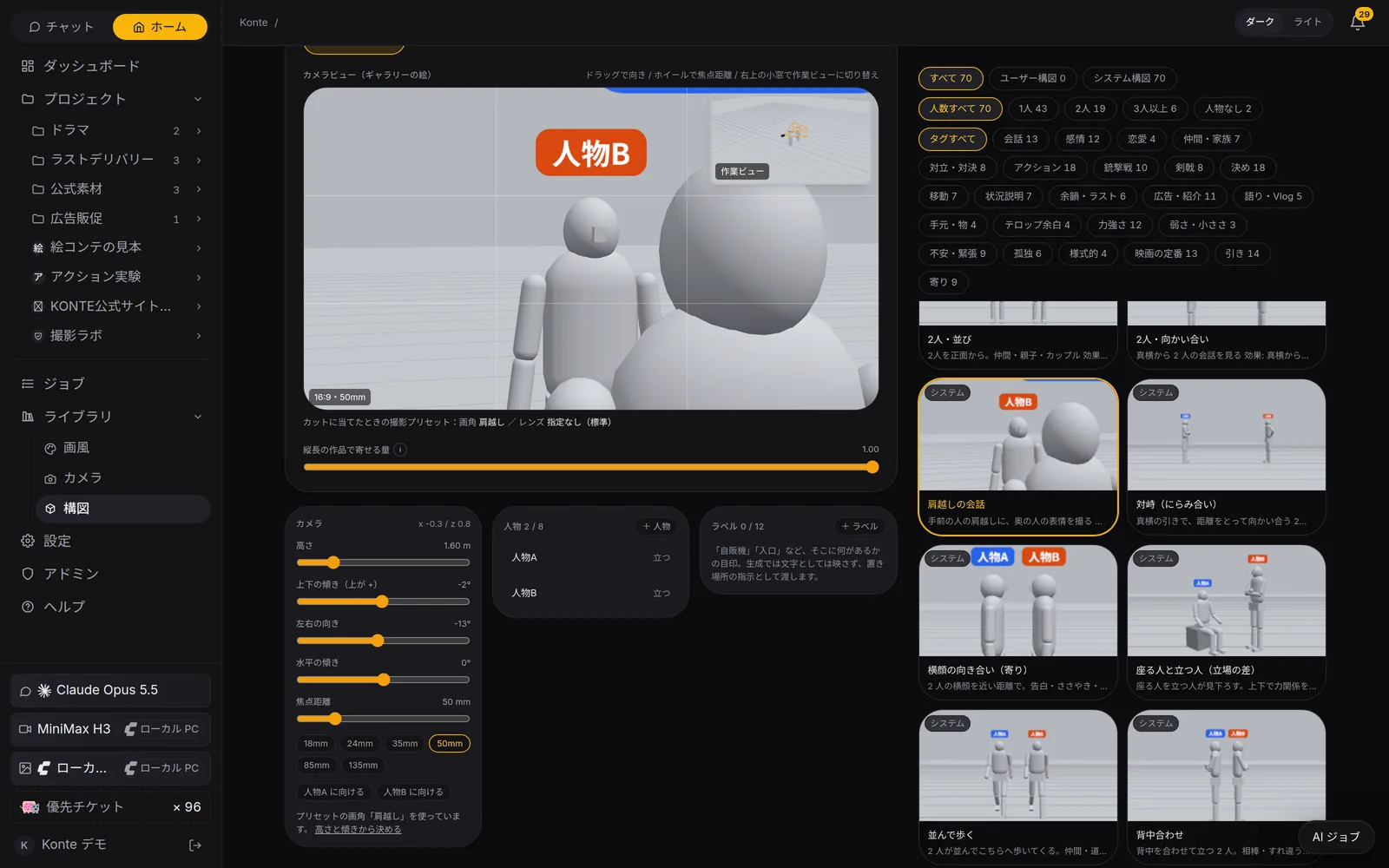
Camera
Height 0.1–8 m, focal length 12–200 mm. Angle and lens are read off the 3D view.
PEOPLE
Mannequins
Up to 8, life-size or chibi (2–3 heads tall). Each cast member keeps one colour in every panel.
OBJECTS
Objects
Shapes and ready-made types — car, helicopter, drone and more — up to 24, with height off the floor. Tie them to props or a set.
LIBRARY
Framings and poses
Start from 70 framings — from an over-the-shoulder talk to a gunfight — and 71 poses.
The key moment, not the start
The hit landing, a collar grabbed and slammed into a wall, the face as it dawns. The video starts moving from the top of the panel and passes through this pose about two-thirds in.
The mock-up as a framing guide
The 3D picture goes to the video AI as a guide to the framing — not as the first frame. Each mock-up is also filed in the asset library.
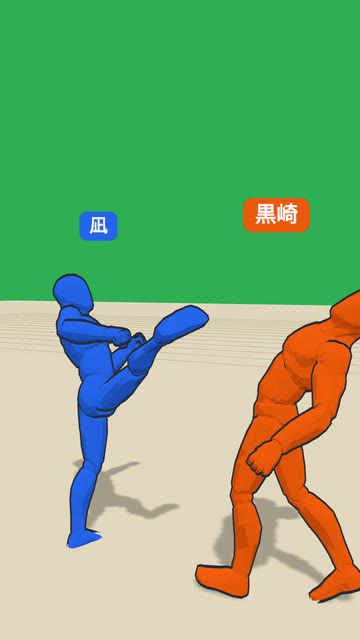 3DVIDEO
The back kick
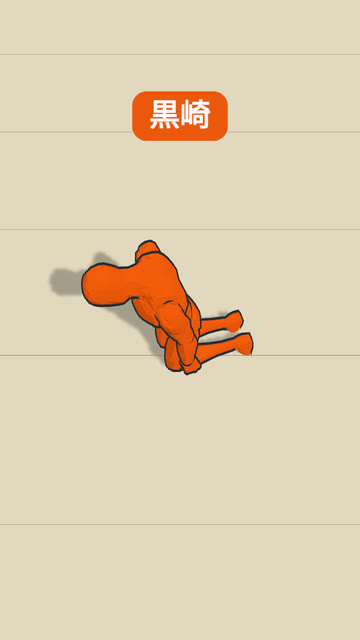 3DVIDEO
Slumped against the pillar
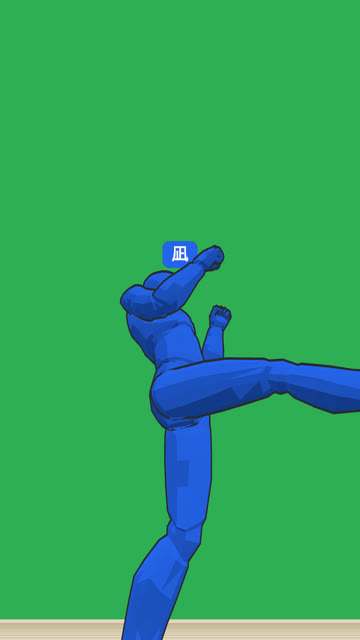 3DVIDEO
Kicking the case up
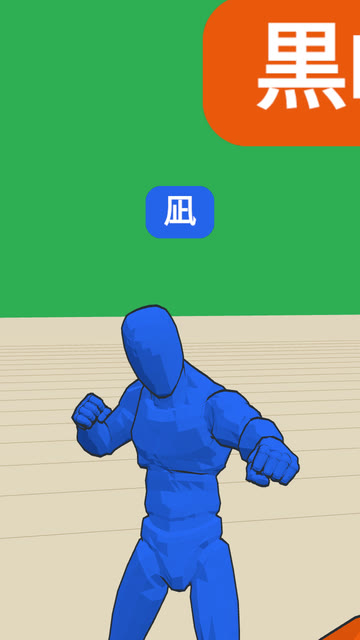 3DVIDEO
A punch over the shoulder
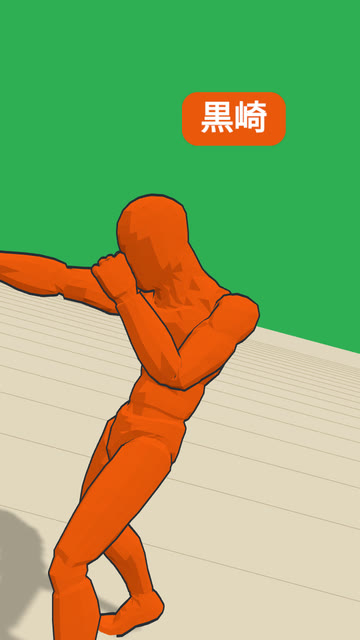 3DVIDEO
The hook
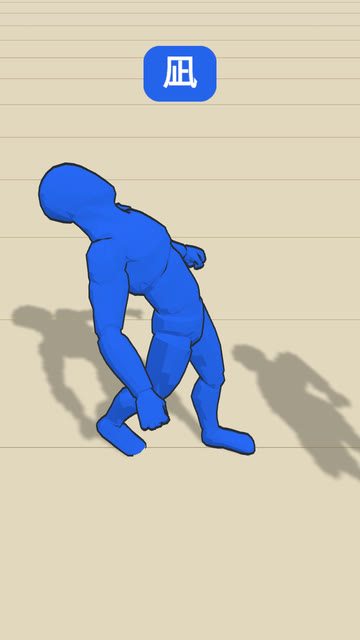 3DVIDEO
Into the pillar
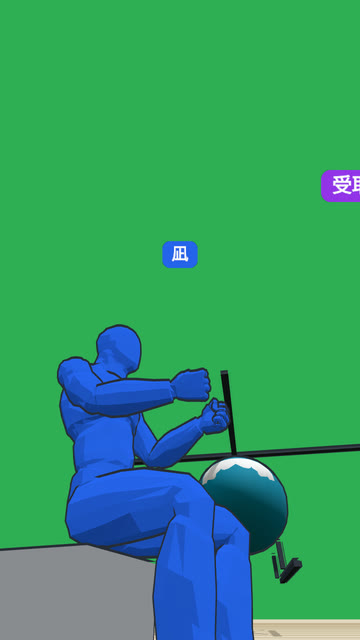 3DVIDEO
The bike slides under the helicopter
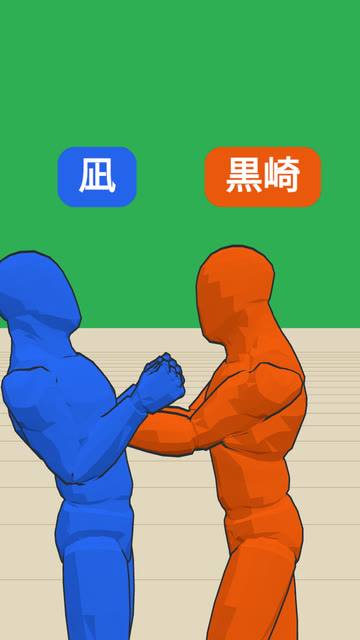 3DVIDEO
Grabbed by the collar, into the wall
Left: the storyboard's 3D mock-up (the key moment). Right: the shot rendered with it as the framing guide. Faces and clothes are drawn from the cast's reference images.
The 3D mock-up is read when rendering with MiniMax H3 with reference images.
FEATURESFeature pages
THE FIVE STEPS
ASSISTANT
Tell it your idea, and the AI crew lines up everything from the script to the edit. You check, and press.
- The AI that writes the plot
- Three AIs that read the script
- The AI that breaks it into shots
- An AI that checks the flow, one that fixes it
- The action director
- The framing AI (director of photography)
- The props person's eye
- VFX directions
- The AI that writes the prompt
- The caption editor
- The editor (you)
GET STARTEDStart here
Your film studio, starting today
Start by creating a single cast member. We're happy to talk it through.