FINALIZEFinalize
Burn it to one video, and publish
Inserts, music and captions burnt into one finished video, which goes straight onto the share page.
Called in the app: 「ファイナライズ」
01—ONE VIDEOInto one video
Everything from the edit, in one video
Captions, music, transitions, inserts, overlaid images and sound effects, all in one MP4.
BURN
Press, and it's one video
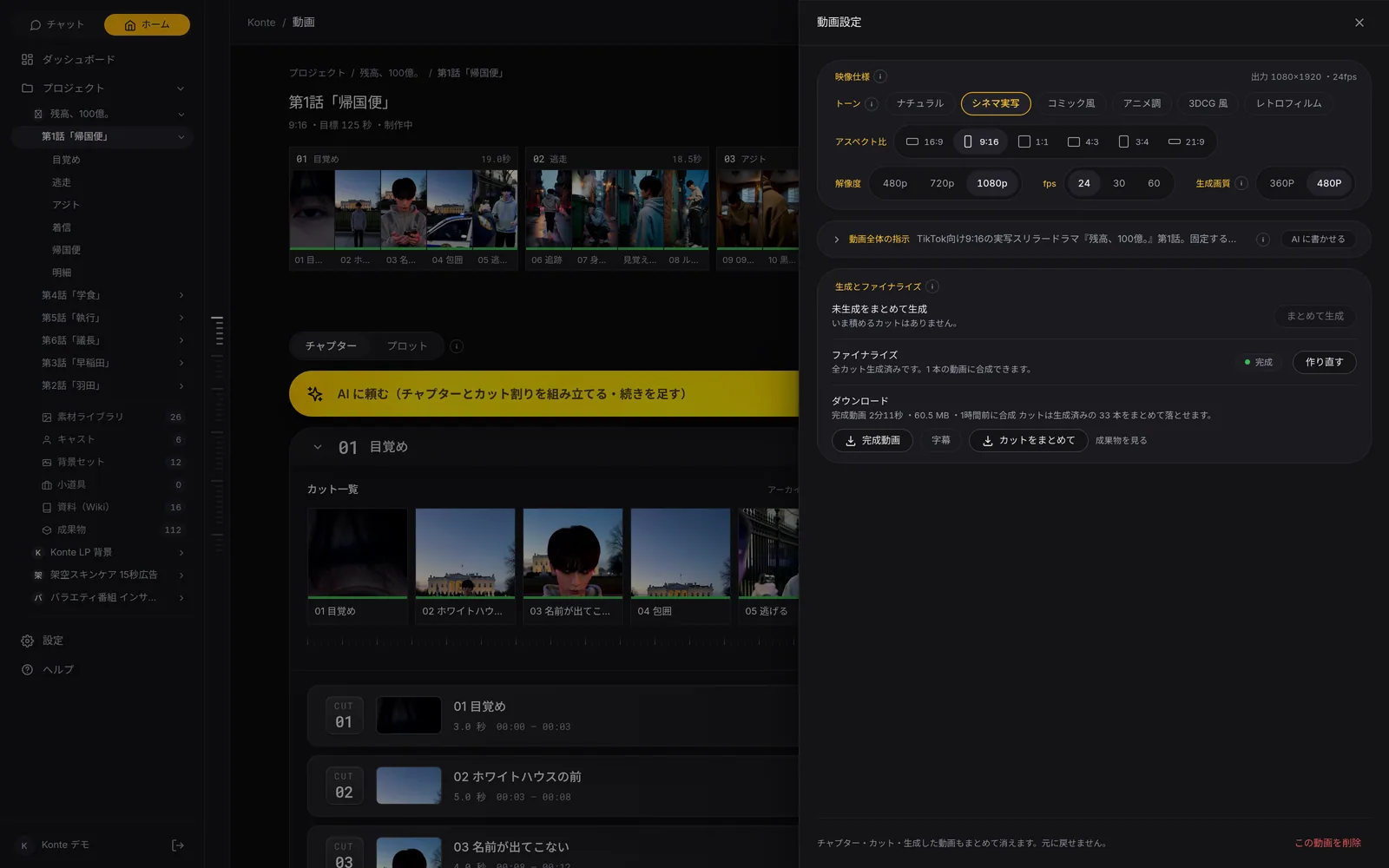
Once every shot is done, press “Finalize”. Cancel midway if you like; “Remake” after changes.
FAST
No edits, straight join
With nothing edited it simply joins the shots, with no loss in quality. No GPU needed.
LOUDNESS
Even loudness
When it's put together, the loudness is levelled to a standard for streaming.
02—DOWNLOADSDownloads
As one video, or shot by shot
Make it one video for YouTube or TikTok, or cut it out shot by shot for your production team.
ONE VIDEO
Joined into one
The finished video, with captions, music, sound effects and transitions in it.
- 完成動画.mp4
Straight to YouTube, TikTok and the like
SHOT BY SHOT
Cut out shot by shot
Every shot without captions, numbered in order. Line them up and the rough cut is there.
- 01_….mp4
- 02_….mp4
- 03_….mp4
- カット一覧.csv
Into the editing software on your team
CAPTIONS AS DATA
Captions as data
Wording and timing go in a subtitle file; which caption sits on which shot goes in the list.
- 字幕.srt
- カット一覧.csv
Into an editor, or a platform's subtitles
Formats
- MP4Video
- SRTSubtitles
- CSVShot list
- ZIPAll shots in one file
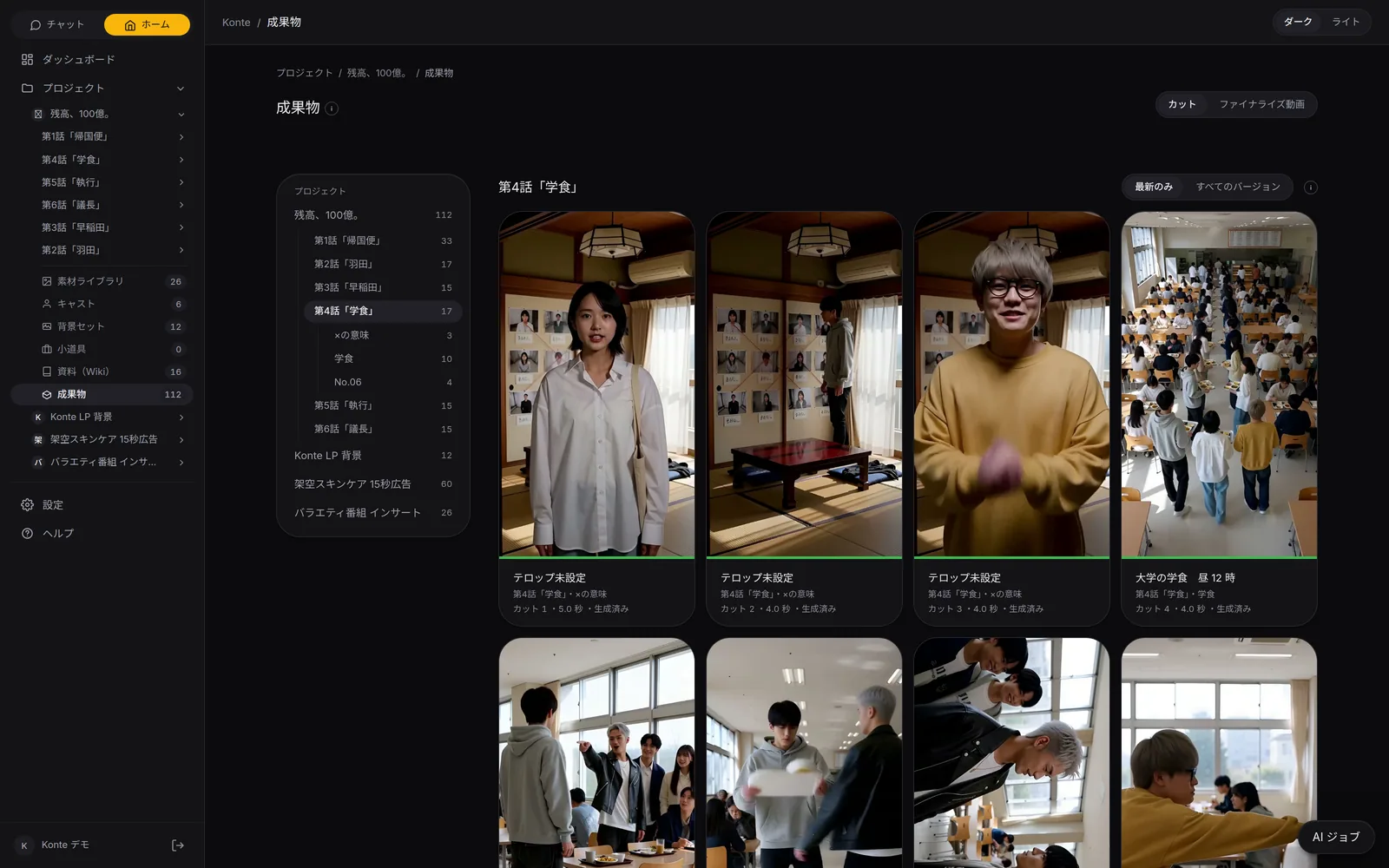
Episodes whose shots or captions changed after compositing get a mark, and can be remade from that row.
03—SHAREShare link
One link to send out a cut
Issue a link anyone can open without logging in. The comments you get stay on the shots in Konte.
LINK
Just issue a link
Make the link from the share dialog. Turn it off and it stops working at once.
NO LOGIN
No login to watch
Colleagues or clients who don't use Konte can watch from the URL alone.
COMMENTS
Comments land on the shot
Viewers comment on a shot with their name. The same comments appear in Konte's player, ready for the next fix.
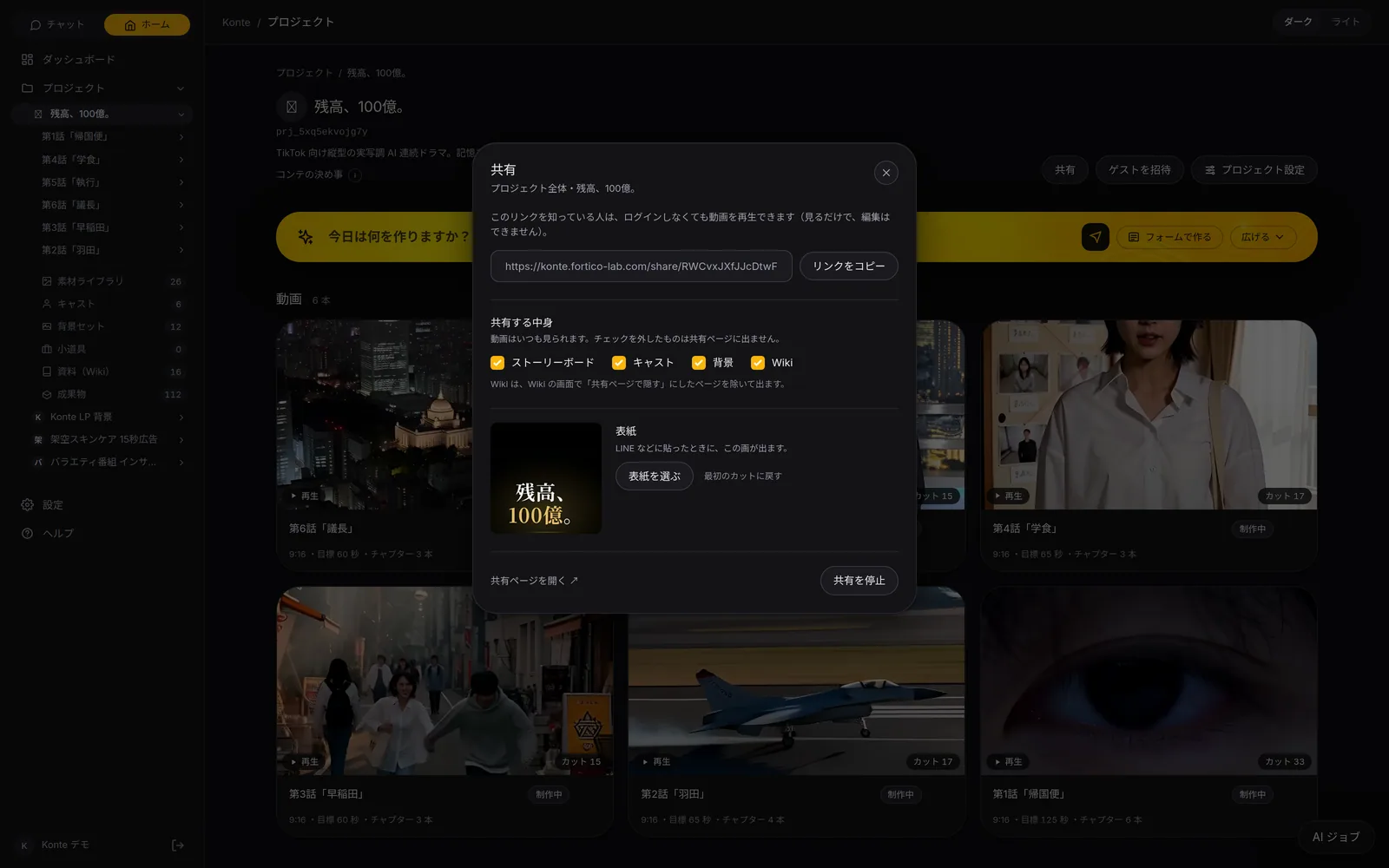
Comments show, and can be written, only when switched on in the share dialog. Changes made in the edit show on the share page only after you finalize again.
SEE THE DEMOFEATURESFeature pages
THE FIVE STEPS
ASSISTANT
Tell it your idea, and the AI crew lines up everything from the script to the edit. You check, and press.
- The AI that writes the plot
- Three AIs that read the script
- The AI that breaks it into shots
- An AI that checks the flow, one that fixes it
- The action director
- The framing AI (director of photography)
- The props person's eye
- VFX directions
- The AI that writes the prompt
- The caption editor
- The editor (you)
GET STARTEDStart here
Your film studio, starting today
Start by creating a single cast member. We're happy to talk it through.