RENDERVideo generation
Camera, props and VFX, shot by shot
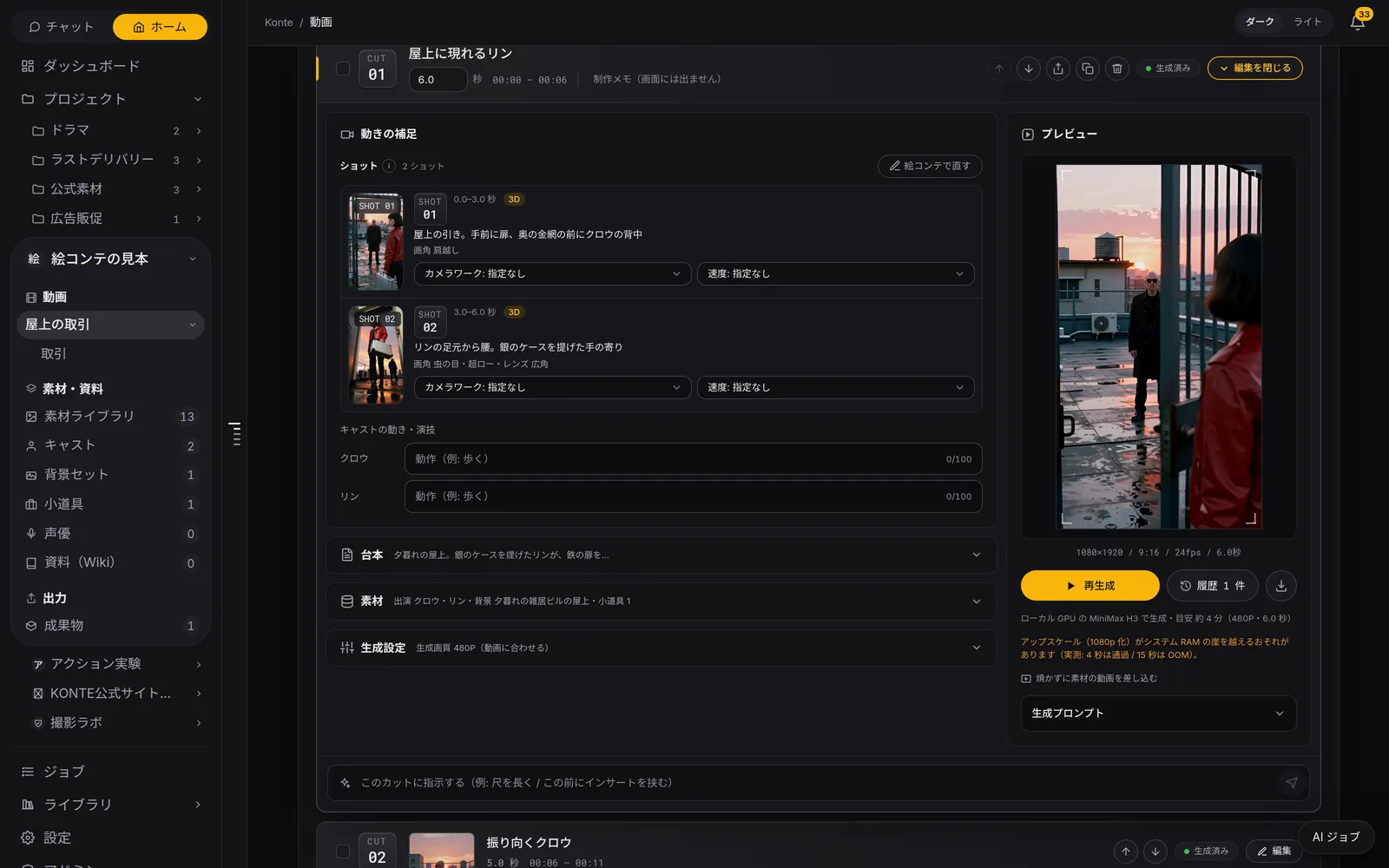
From storyboard to video. Props, camera and VFX are settled for each shot before it renders.
Called in the app: 「動画生成」
01—PRESS TO RENDERRendering waits for you
One at a time, or all at once
Press, confirm, then it renders. Quick test renders, and full quality only for the one you keep.
BATCH
Everything not yet rendered
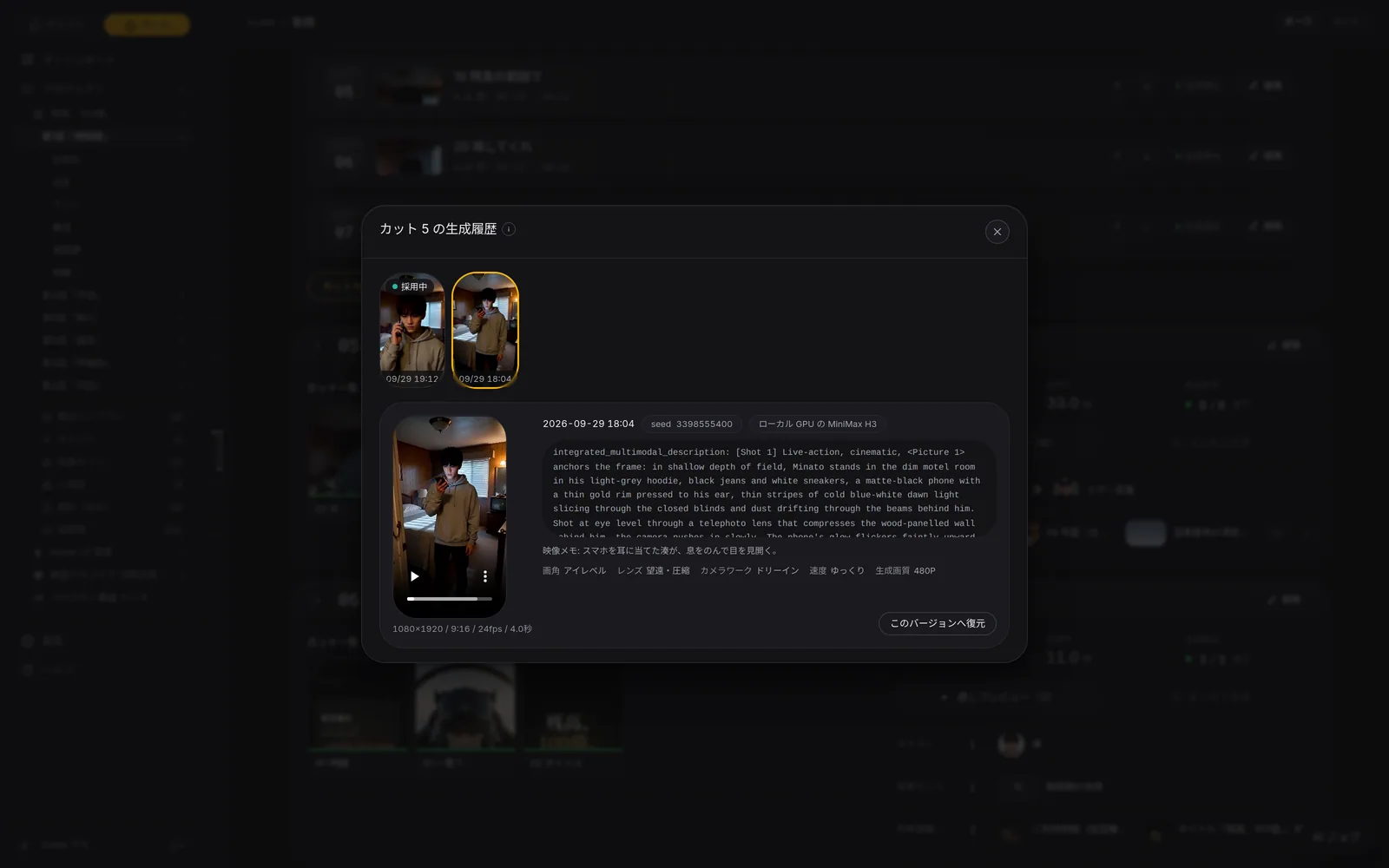
Shot by shot, or every unrendered shot at once. Retakes keep the earlier takes in the history; mark the good one as adopted.
QUALITY
Normal or low resolution
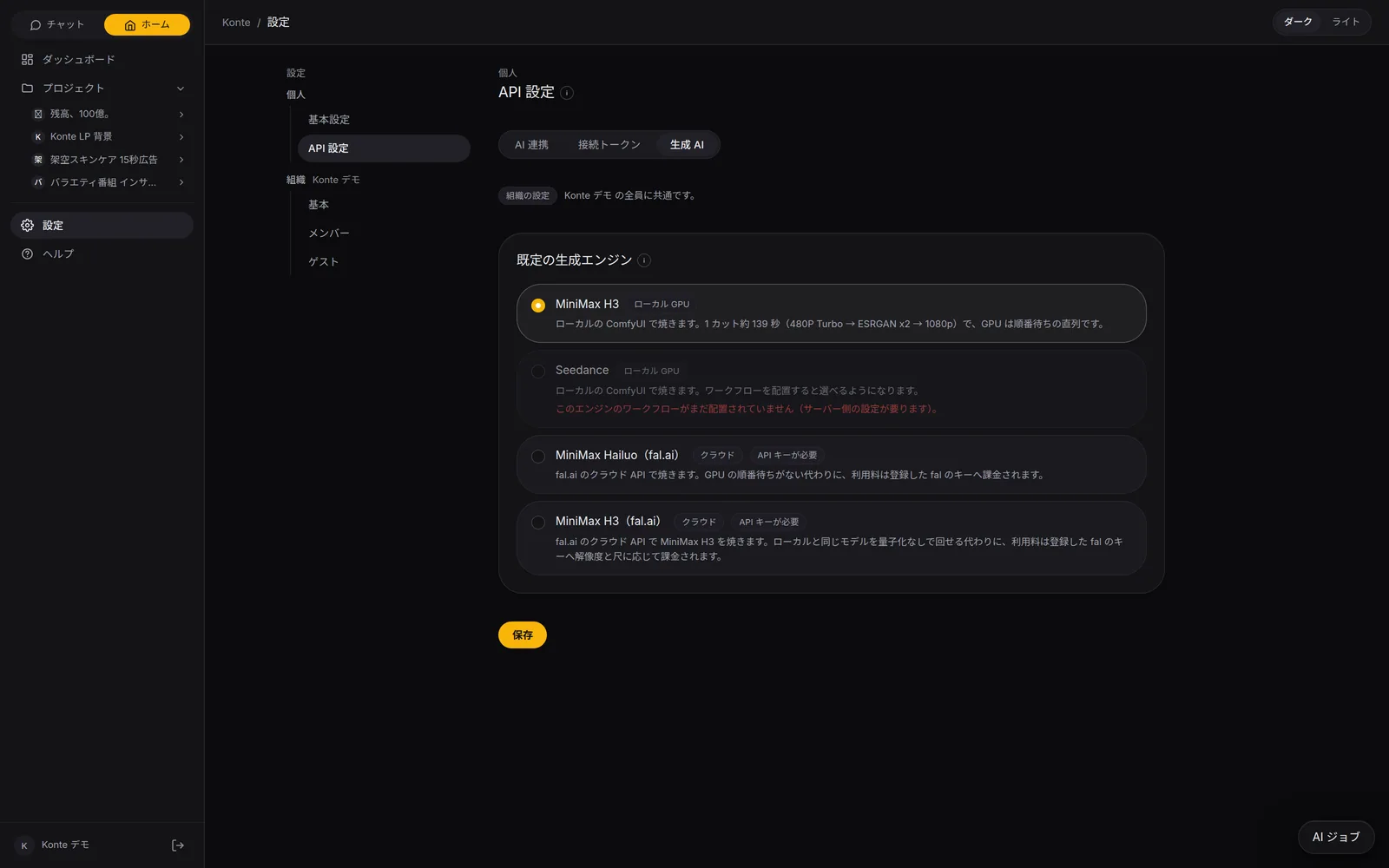
On your own GPU, “Low resolution (fast)” test-renders at 360P. Like it? “Upscale” lifts the same video to full resolution.
CHANGED
The “changed” mark
Shots whose script or storyboard changed after rendering get a mark, so you see at a glance what to render again.
02—CAMERA & MOTIONCamera and motion
Camera moves and acting, right on the card
The framing comes from the storyboard. Add the move, its speed and the cast's acting shot by shot.
Camera move
- 固定
- パン
- ティルト
- ドリーイン
- ドリーアウト
- ズームイン
- ズームアウト
- トラッキング
- 手持ち
- オービット
Speed
- ゆっくり
- 普通
- 速い
- 極速
Cast motion
- 歩く
- 走る
- 振り向く
- 手を振る
- 話す
- うなずく
- 笑う
- 指差す
- 商品を持つ
- カメラ目線
Pick up from the previous shot
How the previous shot ended — pose, position, facing — carries into the next one.
Action that doesn't freeze
Rich on looks, one beat of motion per second, starting and ending mid-move, so a shot never runs out standing still.
03—VFXVFX directions
Bullet time, at the press of a button
Pick one effect from the shot's VFX button. Choose by the sample videos.
Bullet time
Time stops and only the camera sweeps round
Spiral ascent
The camera climbs in a spiral
Storm magic
Wind, lightning and a vortex
Dark magic
Black mist and an eerie glow
Fire breath
Flames breathed from the mouth
Art explosion
Colour and shape burst outward
Blooming flowers
Flowers bloom across the frame
Four seasons
Spring to winter in one sweep
Kiss-scene camera
Closing in and circling the two
Truman Show reveal
Pulling back to reveal a set
The VFX are MiniMax H3's official effects, and Konte's prompts follow the official usage (when rendering with MiniMax H3 on a local GPU).
VFX—03Video generation
VFX directions
One of ten effects, such as bullet time, from the shot's VFX button. The prompt-writing AI writes in the moment it happens.
You
PROMPT WRITER—03Video generation
The AI that writes the prompt
It turns the shot's fields, panels, lines, camera, references and voices into an English prompt in the video model's official style, carrying over how the previous shot ended.
Chat AI
PROPS—03Video generation
The props person's eye
Who holds what, whether it's on or rolling on the floor: the reading and breakdown AIs check it shot by shot, and rules to keep its look go with the render.
Chat AI
04—ACTIONAction
Action, just as the mock-up set it
From live-action tests and a 2D short. The movement set in the 3D mock-up carries into the video.
- FAL.AI
A rooftop chase, ending on one knee
- FAL.AI
One long take of a chase
A leap to the next building
- FAL.AI
Vault, then duck
- FAL.AI
Off the edge and across
- FAL.AI
Slow motion just as it lands
A fight in a car park
Knocked flying by a hook
All shots rendered with Konte: MiniMax H3 on a local GPU, or fal.ai's MiniMax H3 where tagged FAL.AI. 2D is “Watercolor and pen × Animagine XL 4.0”. Shown without sound or captions.
FEATURESFeature pages
THE FIVE STEPS
ASSISTANT
Tell it your idea, and the AI crew lines up everything from the script to the edit. You check, and press.
- The AI that writes the plot
- Three AIs that read the script
- The AI that breaks it into shots
- An AI that checks the flow, one that fixes it
- The action director
- The framing AI (director of photography)
- The props person's eye
- VFX directions
- The AI that writes the prompt
- The caption editor
- The editor (you)
GET STARTEDStart here
Your film studio, starting today
Start by creating a single cast member. We're happy to talk it through.