CASTCast
Every face and outfit, in the ledger
Reference image, profile sheet, stills and a voice: what keeps them the same person in every shot.
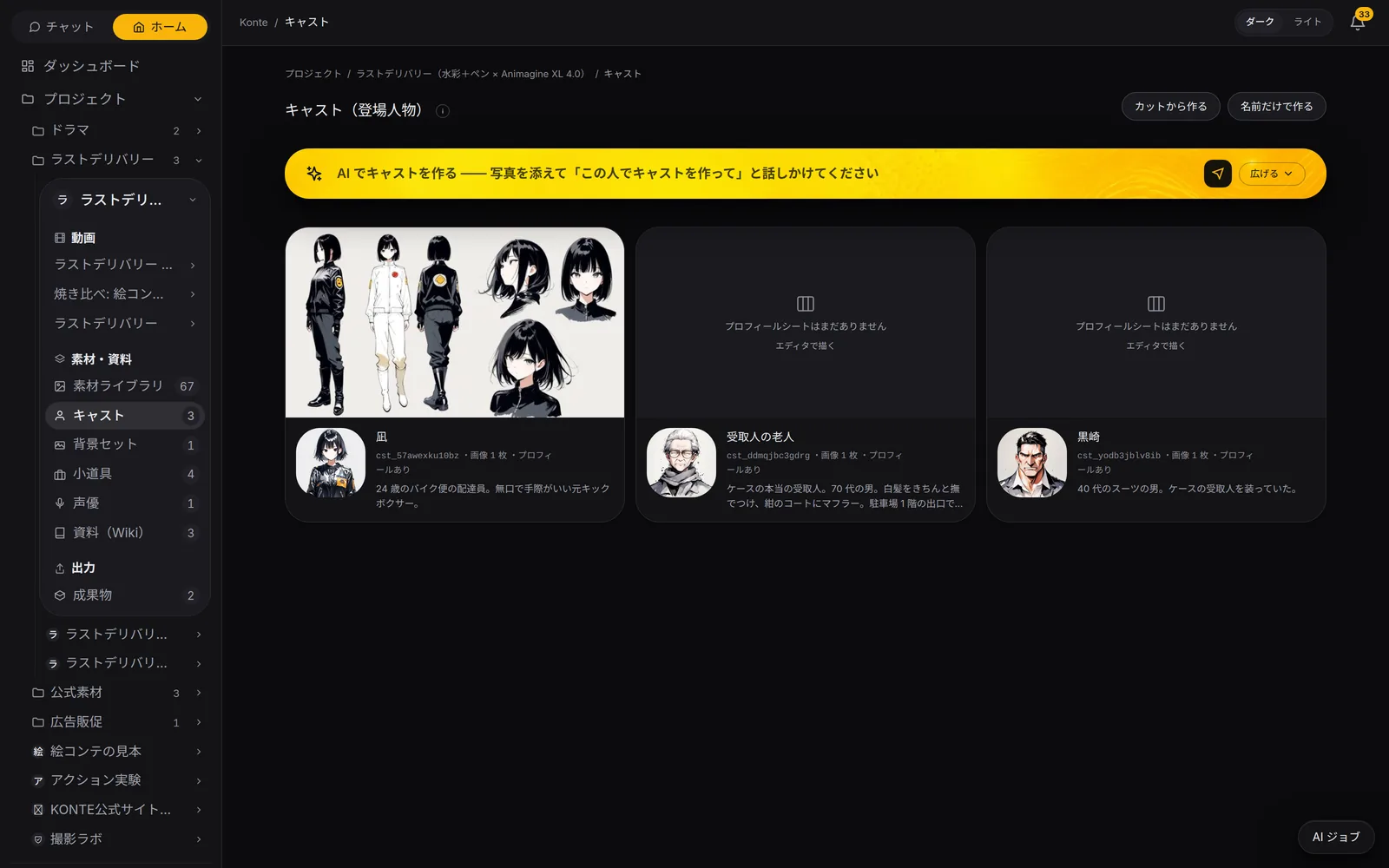
Called in the app: 「キャスト」
01—THE SCREENThe cast screen
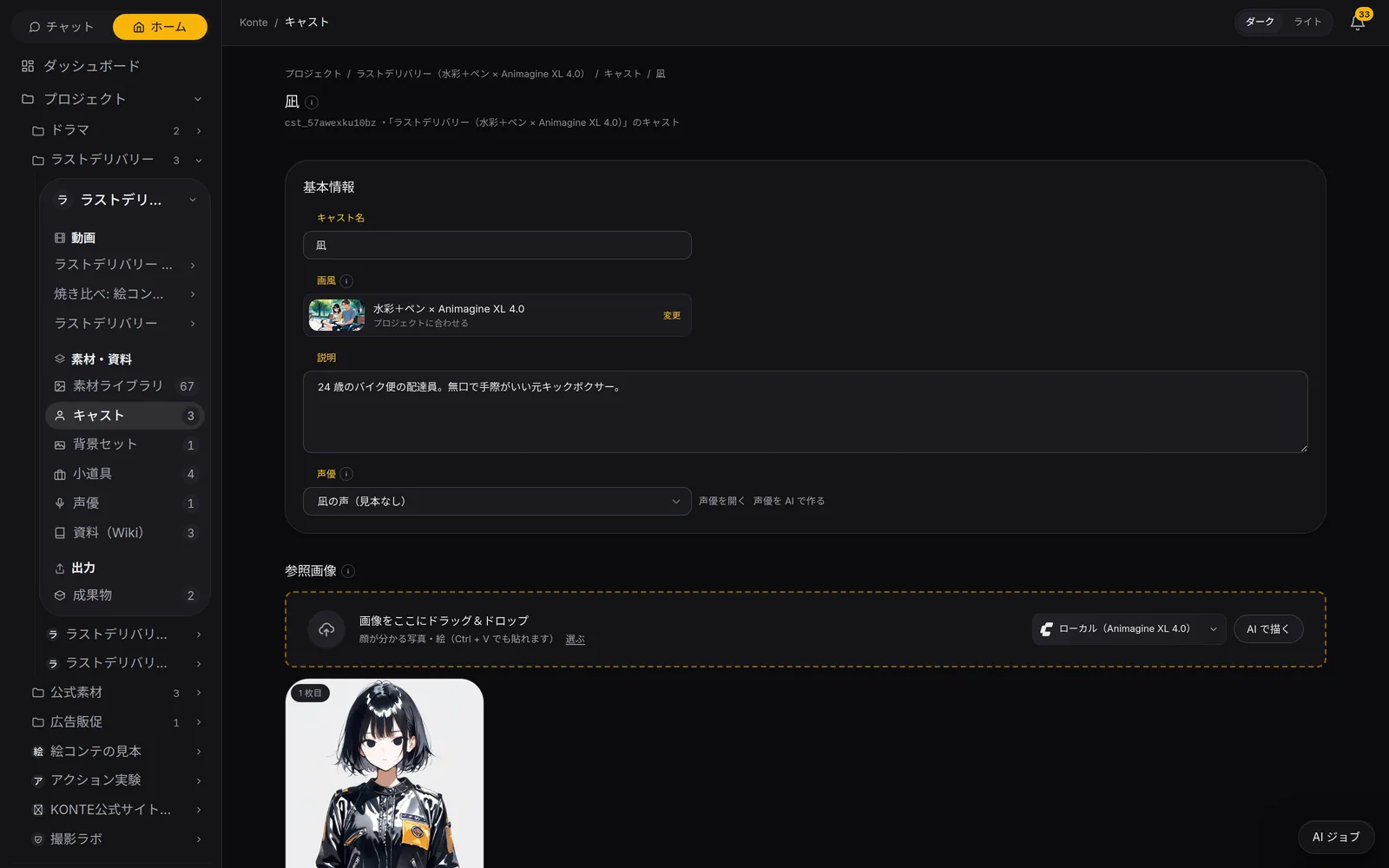
Three tabs for each person
Overview, profile sheet, variations. “Ask the AI” above them changes its job with the tab.
OVERVIEW
Overview (概要)
The two images used for video (the main face and the profile sheet), description, personality, voice notes, background and the linked voice actor.
PROFILE SHEET
Profile sheet (プロフィールシート)
Full body from the front, side and back plus face close-ups, in the same clothes, on one sheet. Your own turnaround works too.
VARIATIONS
Variations (バリエーション)
Up to four at a time with the same face: new poses, times of day, outfits. Test shoots in motion too.
02—FACE & SHEETFace and sheet
Settle the face, then the turnaround
Have the image AI draw a bust-up of the face, or drop in a photo. Drawing the sheet adds a matching bust-up too.
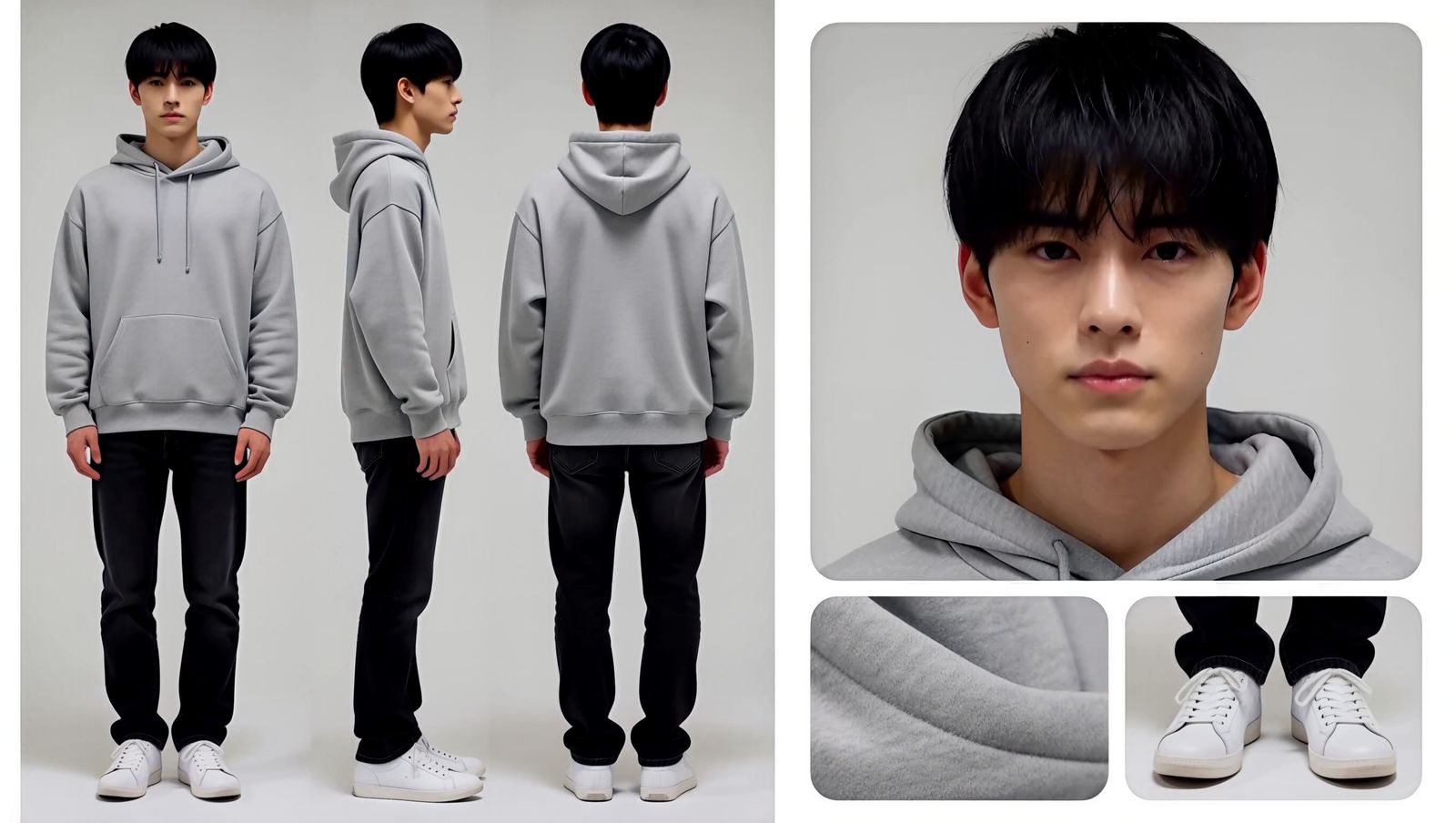
Minato's profile sheet

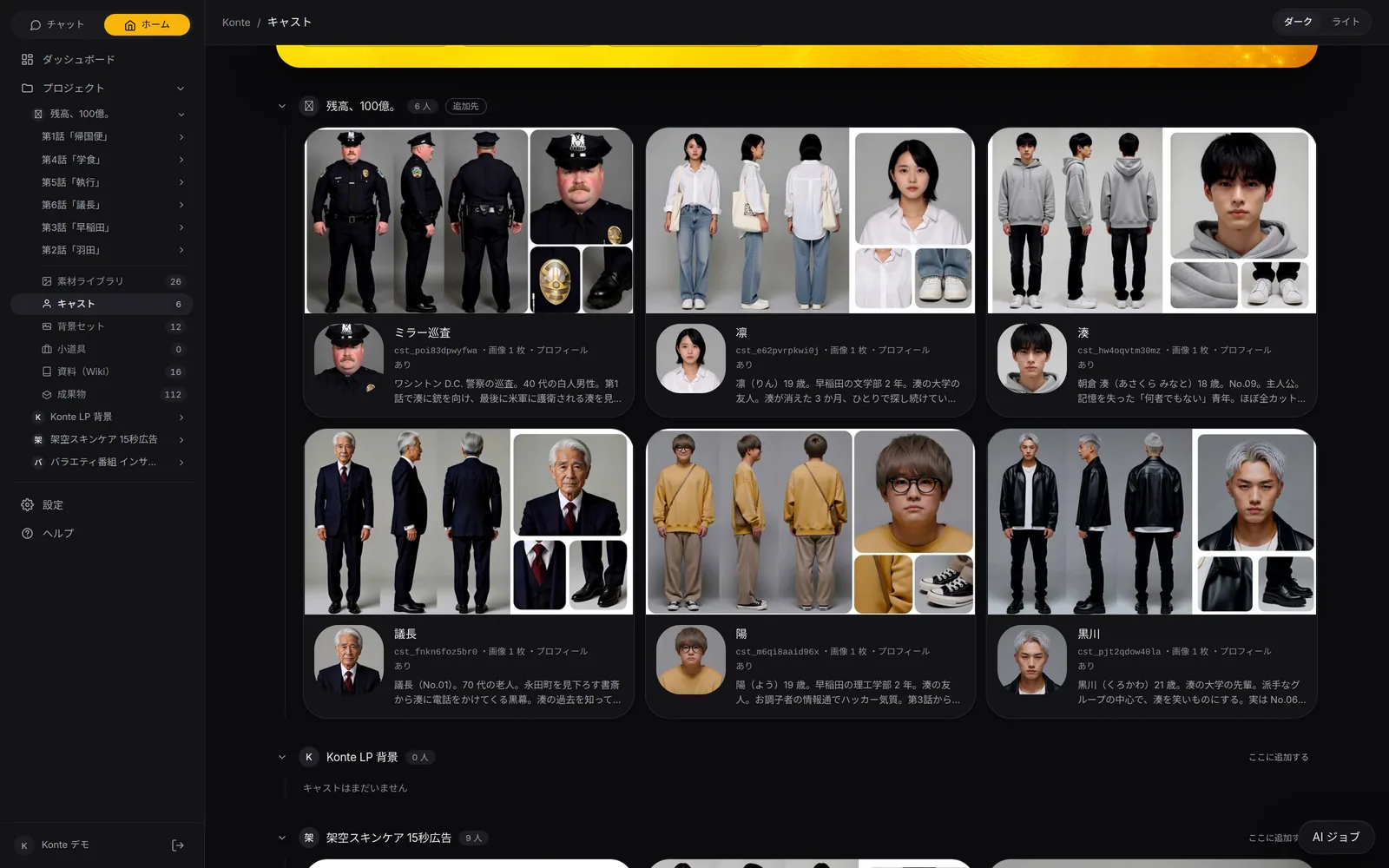
Minato

Rin

Yo

Kurokawa
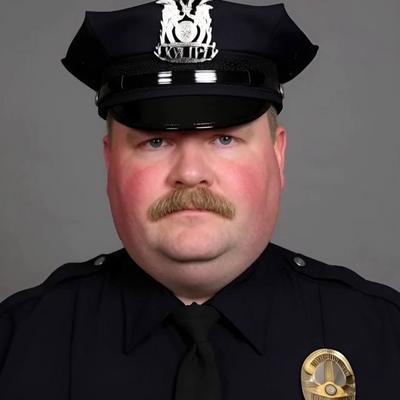
Officer Miller
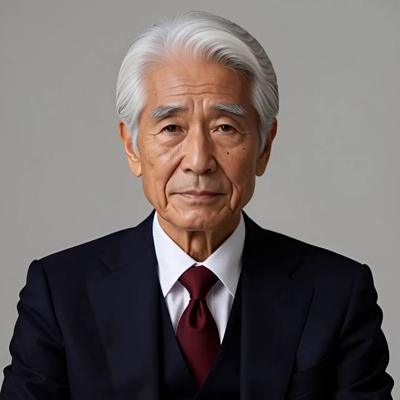
The Chairman
Reference images of the cast and sets of the vertical drama “Balance: 10 Billion” (all made inside Konte).
Pick the model that draws
Image models on your own GPU, or fal.ai's GPT Image 2, Nano Banana Pro, Seedream and more.
The art style follows the project
Reference images and sheets are drawn in the project's art style. You can change it for one person.
Only two images go to the video
Only the main image and the sheet marked “Use for video”. Everything else waits in the image library.
03—VARIATIONS & WARDROBEVariations and wardrobe
A change of clothes for each scene
Write an outfit and only the clothes change. Pick it as that shot's look on the storyboard.
Variation presets
- 全身で正面の立ち姿
- 腕を組んだ決めポーズ
- 振り返り
- 走っている
- 座っている
- ジャンプ
- 笑顔のバストアップ
- 横顔
- 後ろ姿
- 下から見上げる煽り
Borrow only the face and hair
With an outfit written in, only the face and hairstyle come from the reference; the clothes are drawn as written.
Choose the look per shot
Click a cast member on the storyboard and pick one: reference, sheet or a variation. They wear it in that shot only.
Test shoots in motion
“Run in and turn round”, “wave”: short clips rendered the same way as real shots, to check them.
MADE WITH KONTE—CAST LINEUP
Any role, any wardrobe, any number
Students and CEOs, a fighter pilot, an anime lead. Every one of them rendered in Konte.
- MinatoMan, 18Flight suitVertical drama
- The ChairmanMan, 70sNavy three-piece suitVertical drama
- HinataWoman, studentNavy cardiganSchool film
- KAITOMan, 23Black T-shirt, guitarAd
- NagiWoman, 24Black biker jacket2D anime
- The landladyWoman, 60sApron and cardiganVertical drama
- KurokawaMan, 21Black leather jacketVertical drama
- LinWoman, 20sRed jacketAction
- REIWoman, 52Ivory shirtAd
- SOTAMan, 21White T-shirtAd
- MisakiWoman, 20sSuit and staff IDDrama ad
- KondoMan, 46Black coat over a suit3D animation
- RinWoman, 19Oversized white shirtVertical drama
- CrowMan, 30sBlack long coatAction
- The care-home directorWoman, 50sPink uniformDrama ad
- YoMan, 19Mustard sweatshirtVertical drama
- AOIWoman, 24Beige trench coatAd
- The CEOMan, 50sGrey suitDrama ad
- KurosakiMan, 40sCharcoal suit2D anime
- KaedeWoman, 21Navy cardiganVertical drama
- RENMan, 34Navy shirt jacketAd
- NANAMIWoman, 33White shirtAd
- ToruMan, 27Khaki field jacketVertical drama
- MIOWoman, 29Out at nightAd
- The estate agentMan, 30sNavy suitVertical drama
- HINAWoman, 26White T-shirtAd
- YUMAMan, 31White shirtAd
One shot per cast member, from vertical dramas, a drama ad, a school film, ads and action tests (named by genre only) · no sound · MiniMax H3 on a local GPU
04—BY TALKINGMade by talking
From a photo, or a few words
Describe the person and you get a cast member with a description and a reference image. The voice actor can be made by AI too.
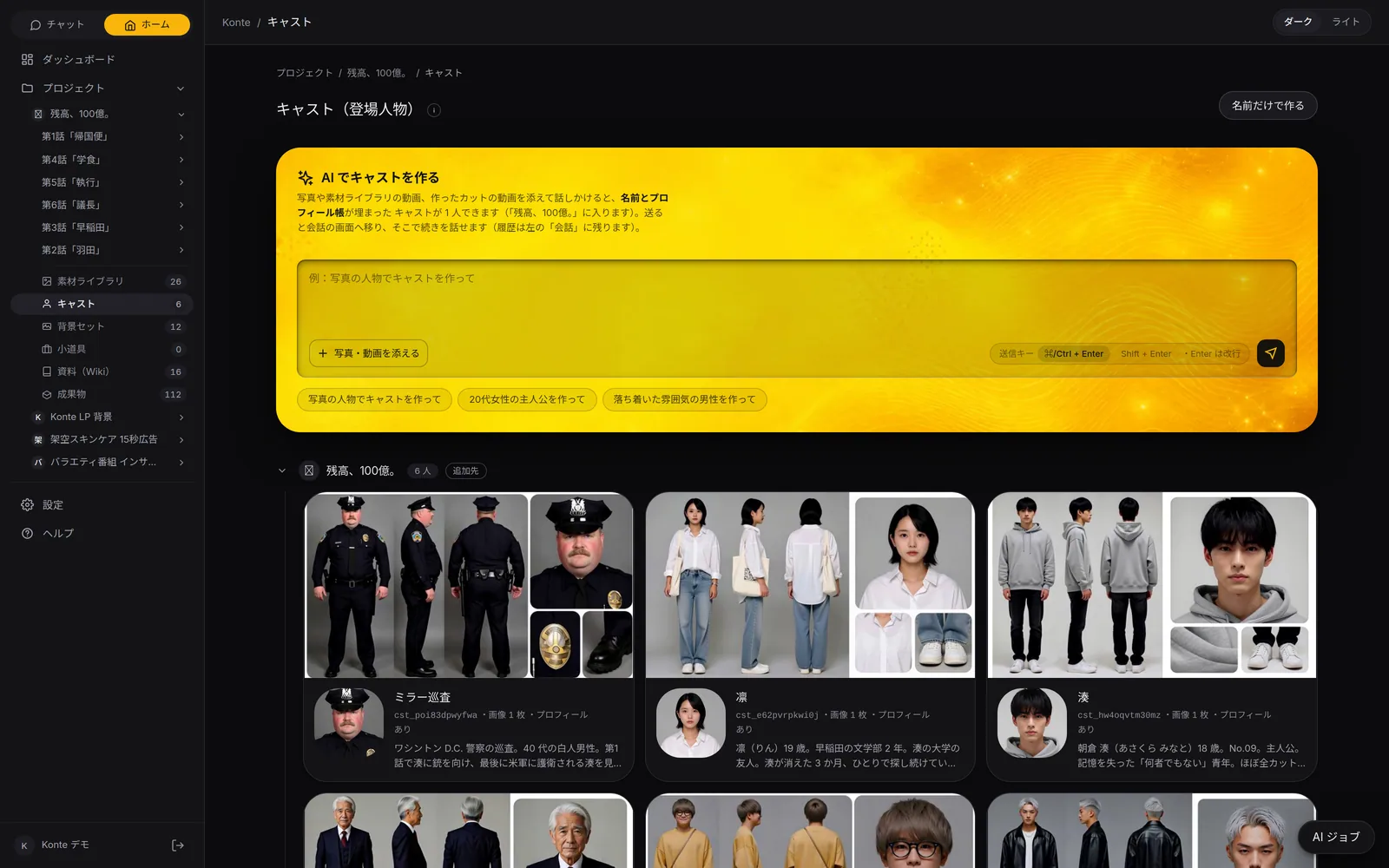
“Ask the AI” follows the tab
On the overview it writes the profile, on variations it takes the picture order, on the sheet the composition.
Make the voice actor with AI
From the cast member's description and profile, it makes their voice actor and links it.
FEATURESFeature pages
THE FIVE STEPS
ASSISTANT
Tell it your idea, and the AI crew lines up everything from the script to the edit. You check, and press.
- The AI that writes the plot
- Three AIs that read the script
- The AI that breaks it into shots
- An AI that checks the flow, one that fixes it
- The action director
- The framing AI (director of photography)
- The props person's eye
- VFX directions
- The AI that writes the prompt
- The caption editor
- The editor (you)
GET STARTEDStart here
Your film studio, starting today
Start by creating a single cast member. We're happy to talk it through.