ASSISTANTAssistant
Talk, and the studio gets to work
Tell it your idea, and the AI crew lines up everything from the script to the edit. You check, and press.
01—ONE CHATOne conversation
One conversation, start to finish
From your first sentence through the script, storyboard and video to the edit, with AI crew members taking each post.
- 01 TALKSay it in a sentenceYou
- 02 PLOTA plot gets writtenChat AI
- 03 REVIEWReaders fix itChat AI
- 04 BREAKDOWNIt's broken into shotsChat AI
- 05 CAST & SETSFaces and places get drawnImage AI
- 06 STORYBOARDThe storyboard is staged in 3DChat AI
- 07 RENDERIt becomes videoVideo AI
- 08 EDITEdit right on the breakdownYou
- 09 FINALIZEOne video, kept as assetsYou
01—TALK
Say it in a sentence
What you want to make, in one sentence. Attach photos, cast or sets if you like.
You
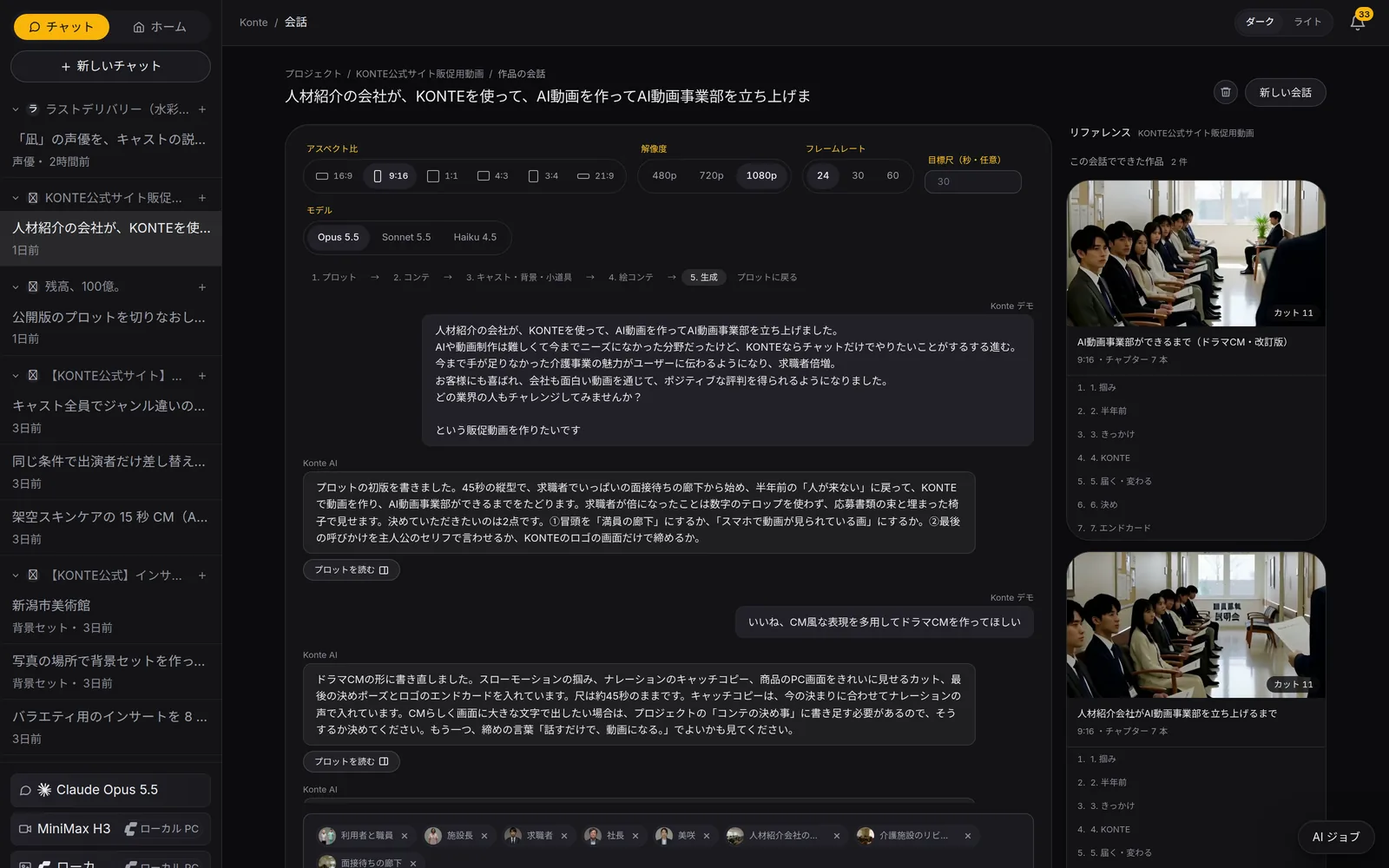
ChatWrite what you want to make as it comes; the AI writes a plot and asks you what to decide. The bar at the top shows the stage you're at. 02—PLOT
A plot gets written
The plot-writing AI writes it into the Wiki and asks you what to decide. It also lists the roles, places and props in it.
Chat AI
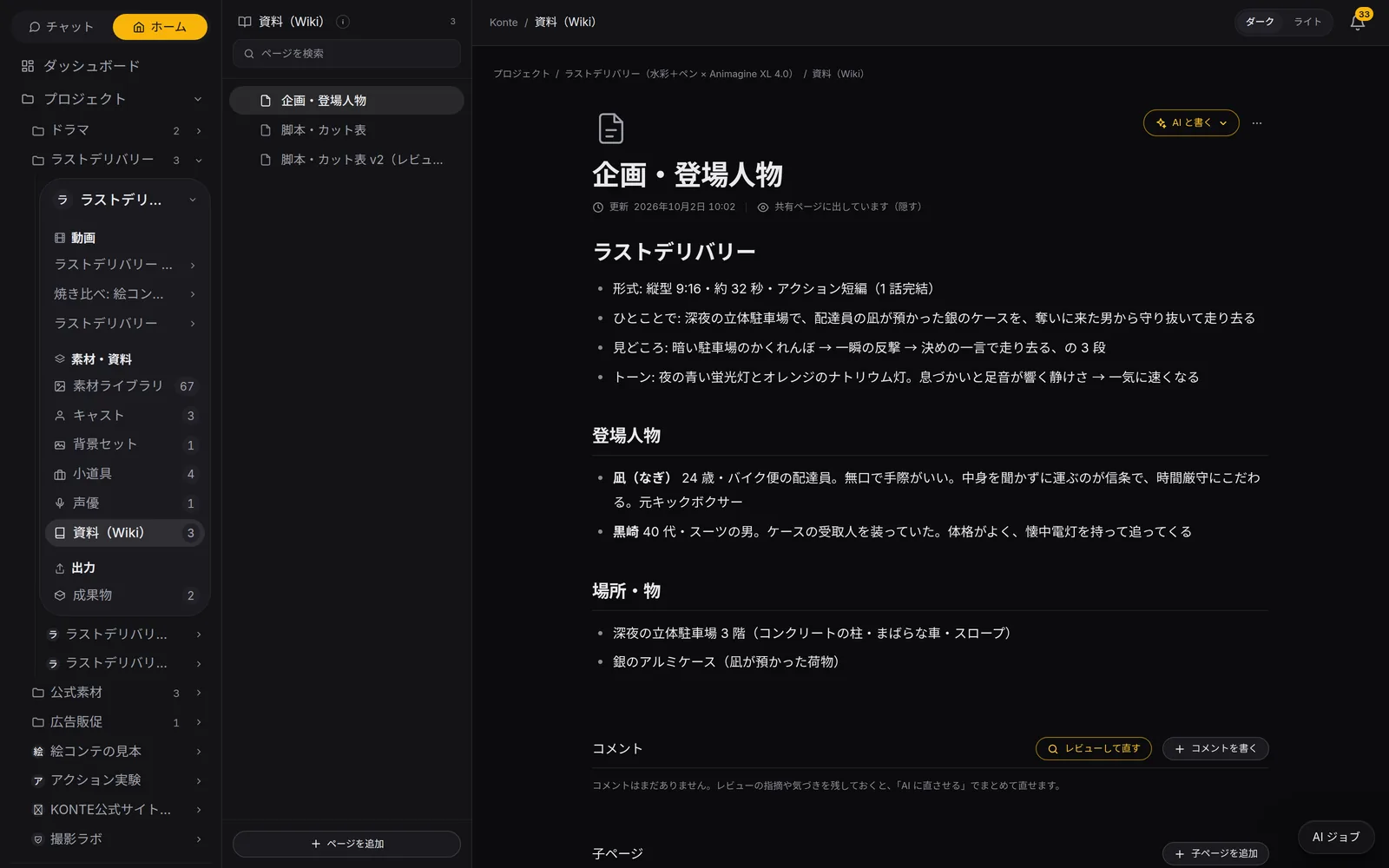
WikiThe pitch, characters and script live on Wiki pages: format, logline, highlights and tone, all written out. 03—REVIEW
Readers fix it
Three readers at once — the story's bones, a first-time viewer, whether it can be shot — and you get the fixed version. The shooting eye checks who holds which prop, too.
Chat AI
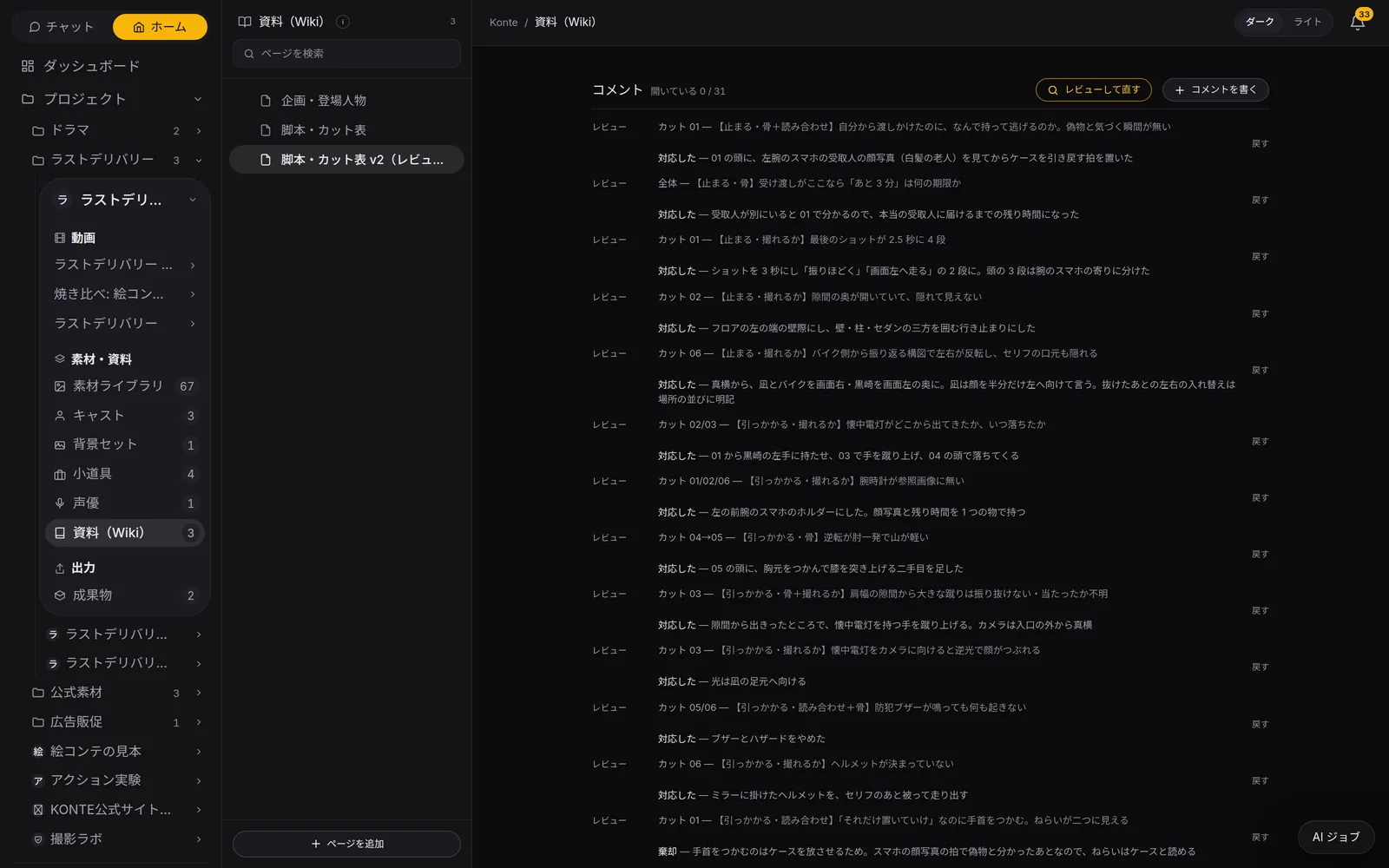
Script reviewThe three reviewers' notes land as comments on the page. All 31 notes here are closed, each with what was changed (対応した, done) or why not (棄却, declined). 04—BREAKDOWN
It's broken into shots
Press “Go with this plot”: the breakdown AI turns scenes into shots and shots into panels, then another AI rereads the flow.
Chat AIYou press
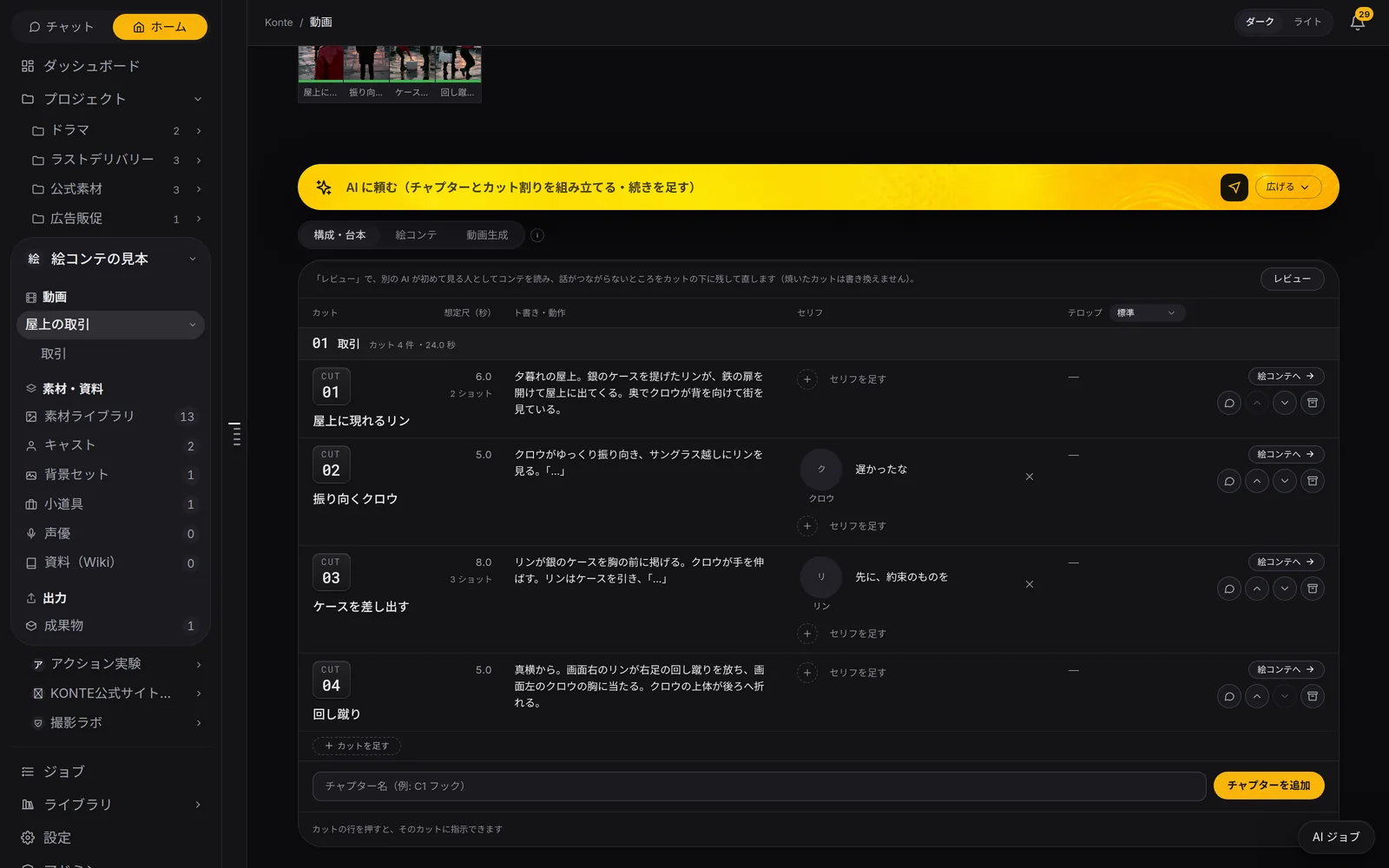
Script & breakdownAction, lines with their speakers and length for every shot, on one table. Press “Review” (レビュー) and another AI reads it again as a first-time viewer. 05—CAST & SETS
Faces and places get drawn
One batch, and the image AI draws each cast member's face and profile sheet, the sets and the props.
Image AIYou press
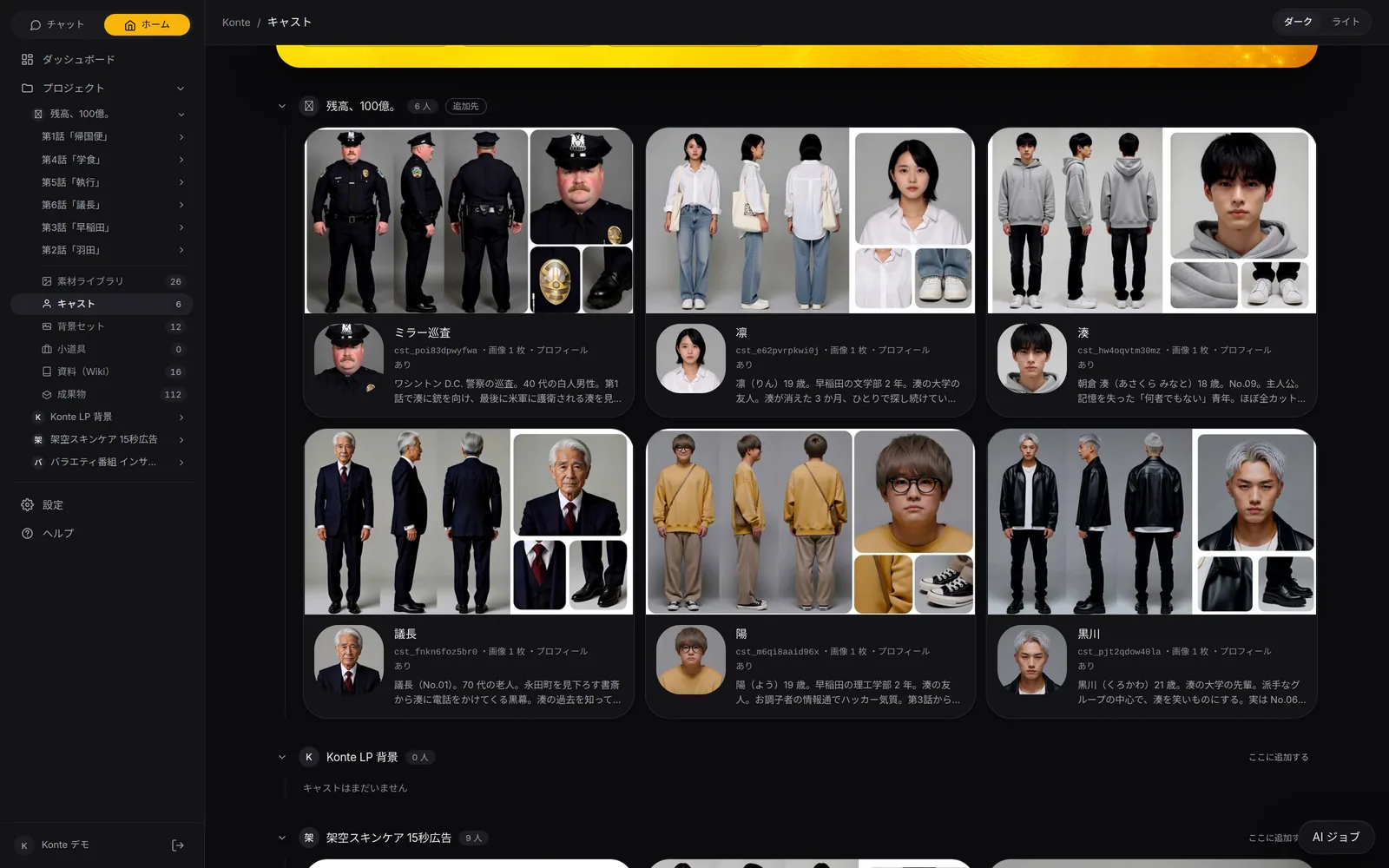
CastThe 6 people who appear across all 6 episodes. Turnaround profile sheets show who looks like what at a glance. 06—STORYBOARD
The storyboard is staged in 3D
The action director settles each key moment and pose, and the framing AI — the director of photography — picks the camera and blocking for every panel.
Chat AIYou press
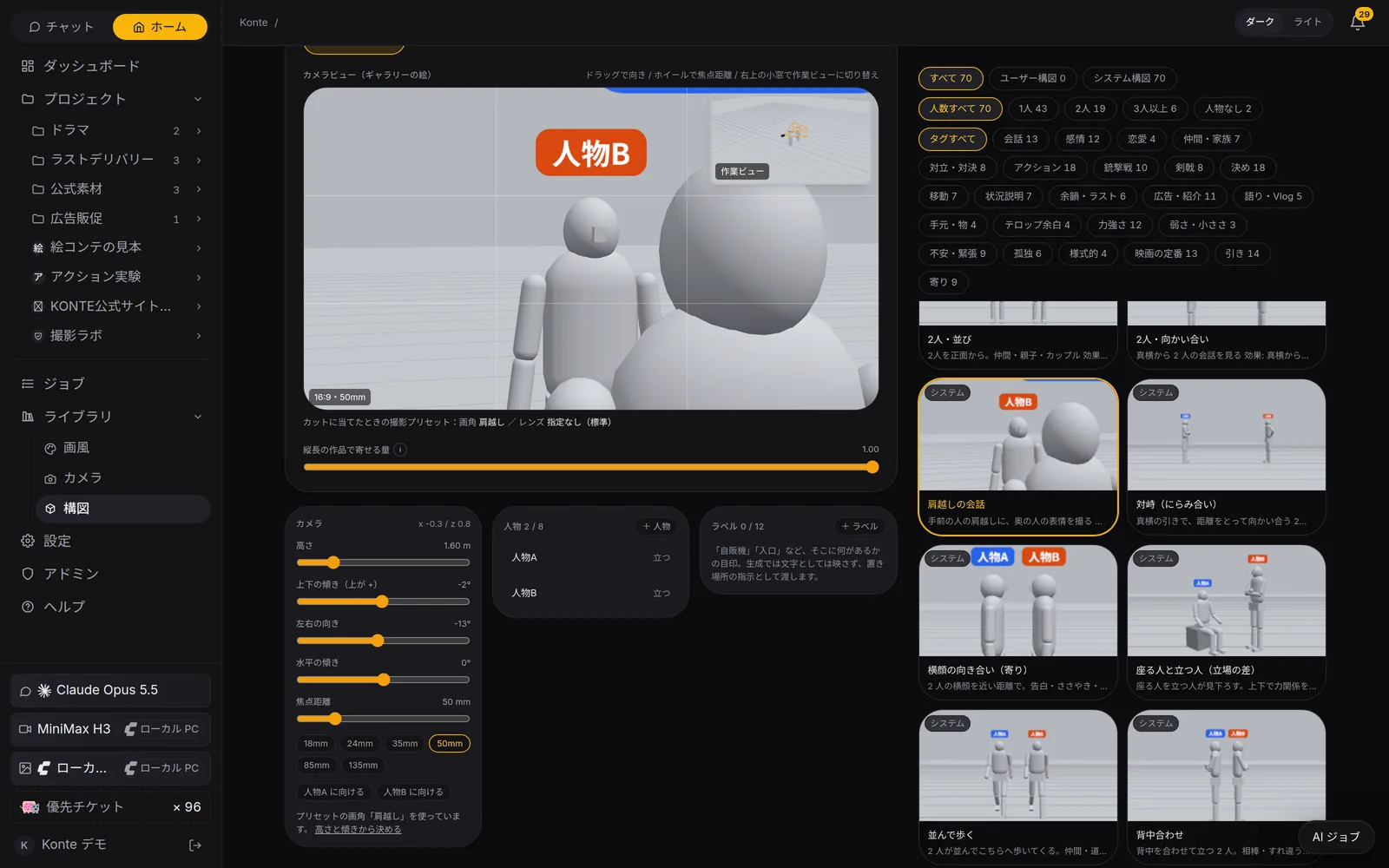
Framing library70 framings, from an over-the-shoulder conversation to a sword duel. Search by head count or tag, and use the camera and figure positions as they are. 07—RENDER
It becomes video
Check it and press, and it renders. The prompt-writing AI writes in the prop rules and the moment any VFX happens.
Video AIYou press
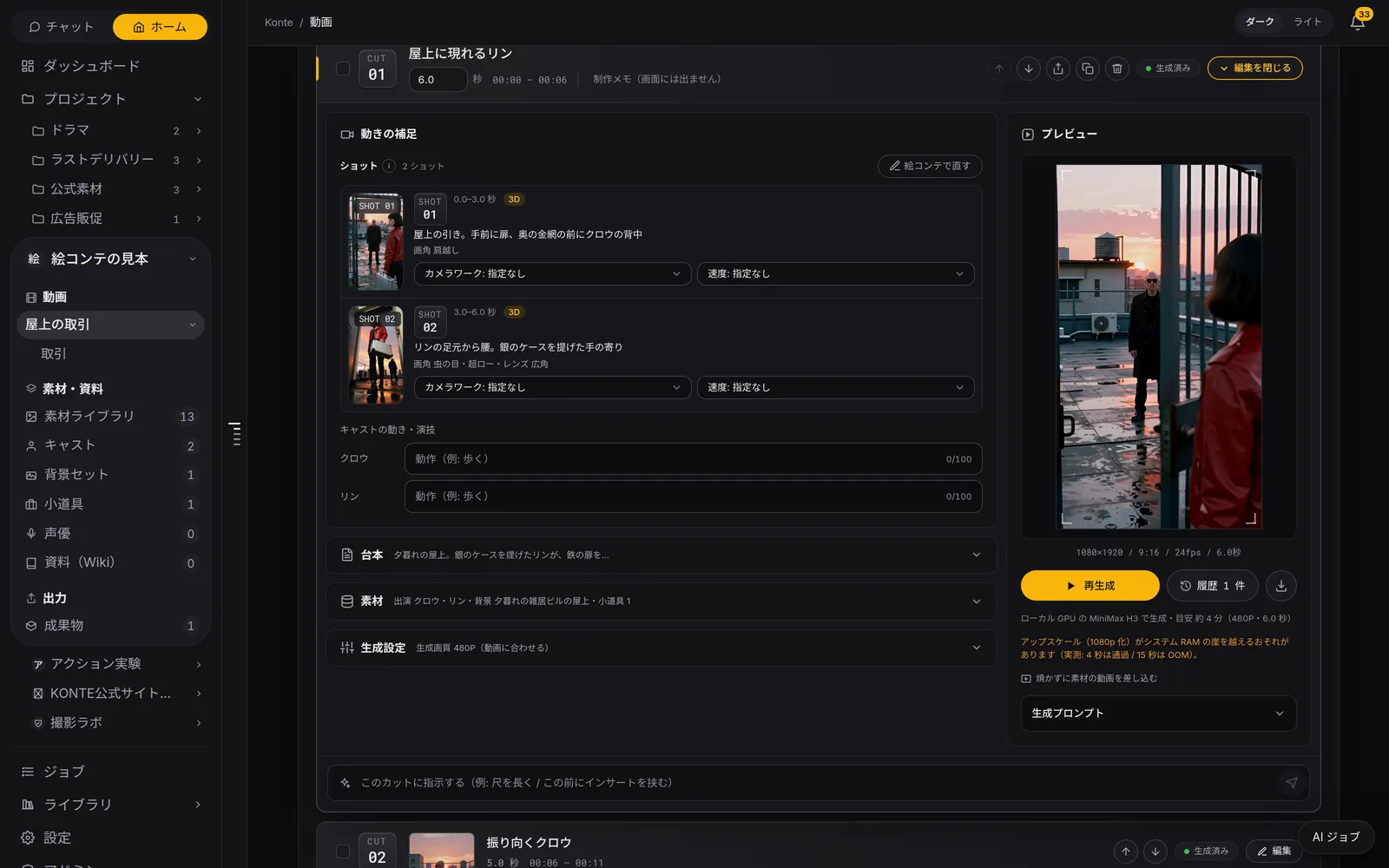
RenderAdd the camera move, speed and the cast's acting to the storyboard panels, then render. Where it renders and how long it takes sit under the button. 08—EDIT
Edit right on the breakdown
The rendered shots in one line: trims, transitions, music, sound effects, inserts. The caption editor times each caption to the voice.
You
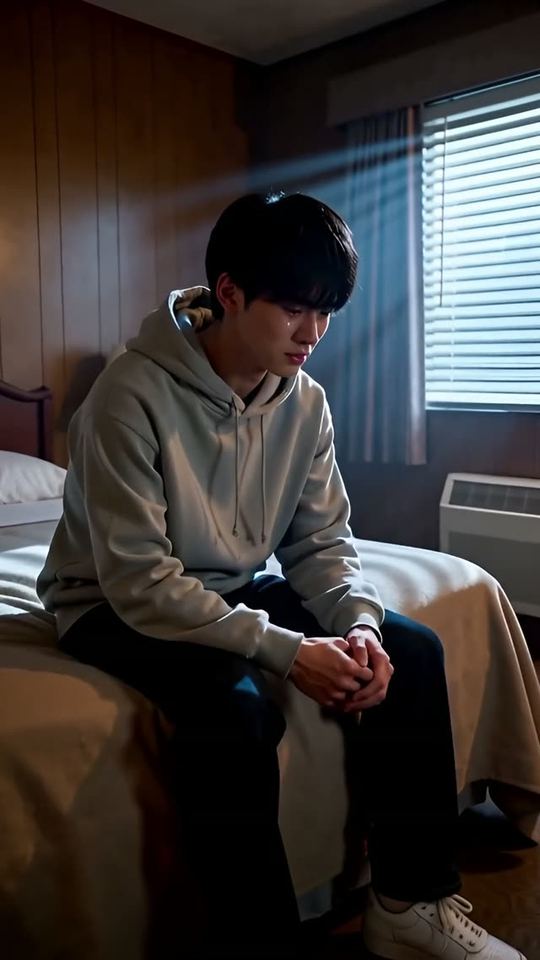
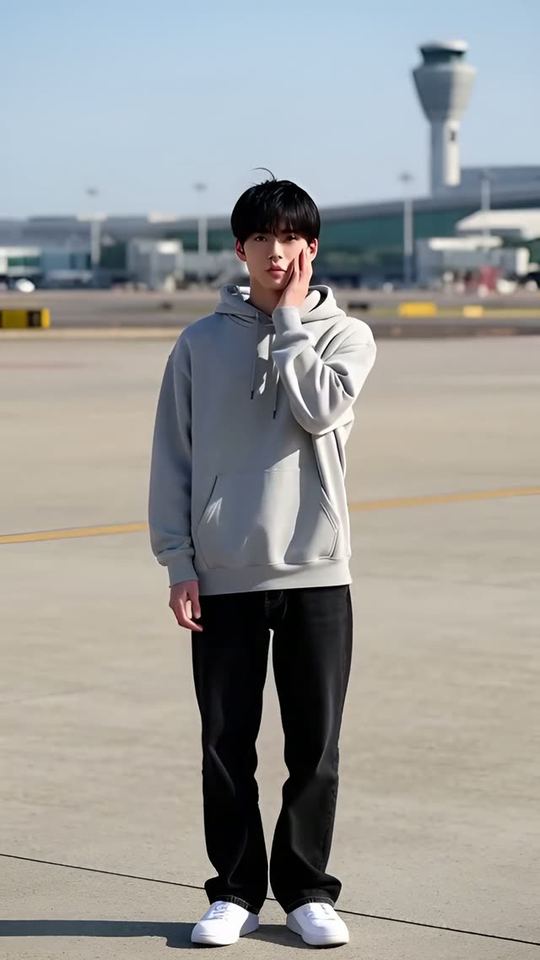
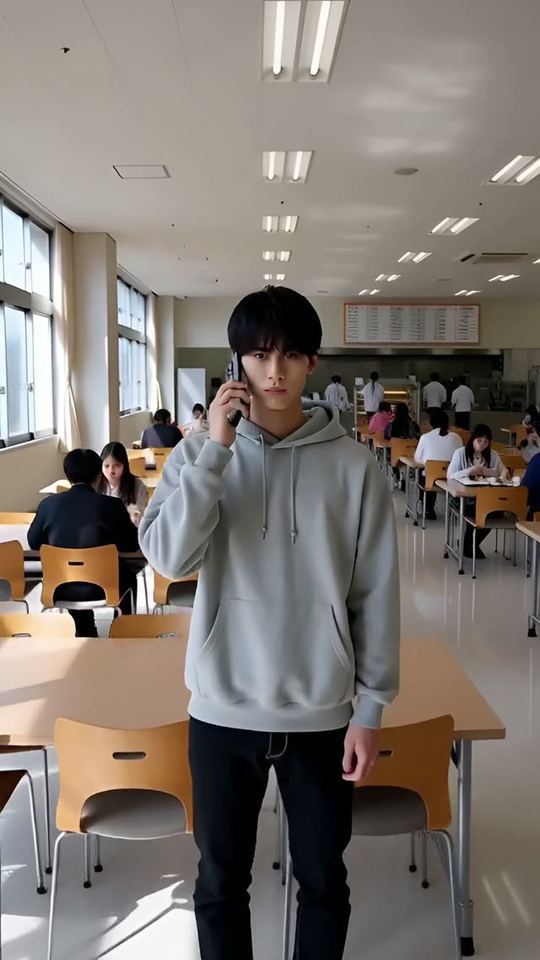
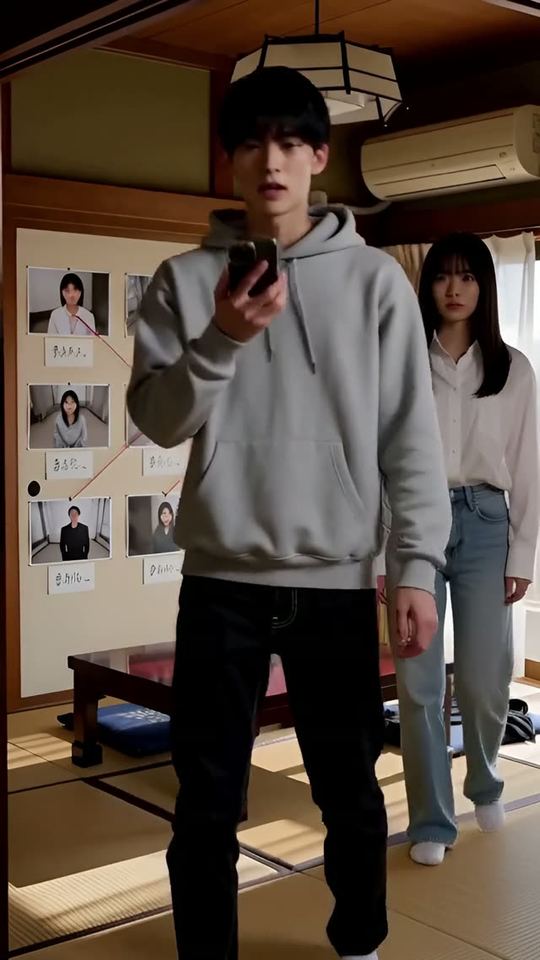 LOGO0.0s / 18.0s+ Caption+ Image+ Sound FX+ MusicInsert footage ▾Picture◆◆◆◆AudioCaptionsナギおれ、なにを やったんだよ……ごめん。君、誰?……会って話そう。Imageslogo.pngSound FXSESEMusicBGM · 80%
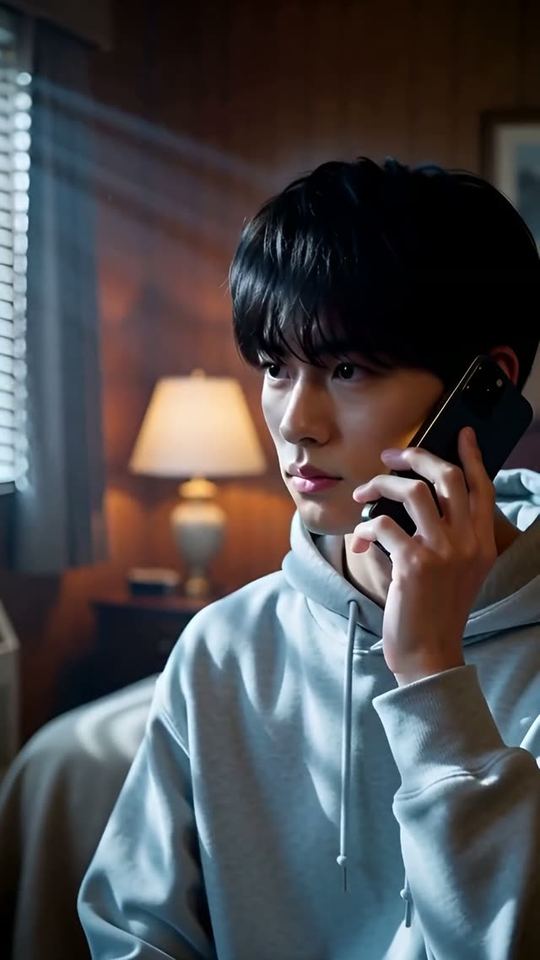
A re-creation of the Video editing tab (illustration, translated). The pictures are shots from the vertical drama “Balance: 10 Billion”; each ◆ is the transition on a join. 09—FINALIZE
One video, kept as assets
Finalize makes it one video. The video, subtitles and shot files go to Outputs; the cast and sets are ready for your next piece.
YouYou press
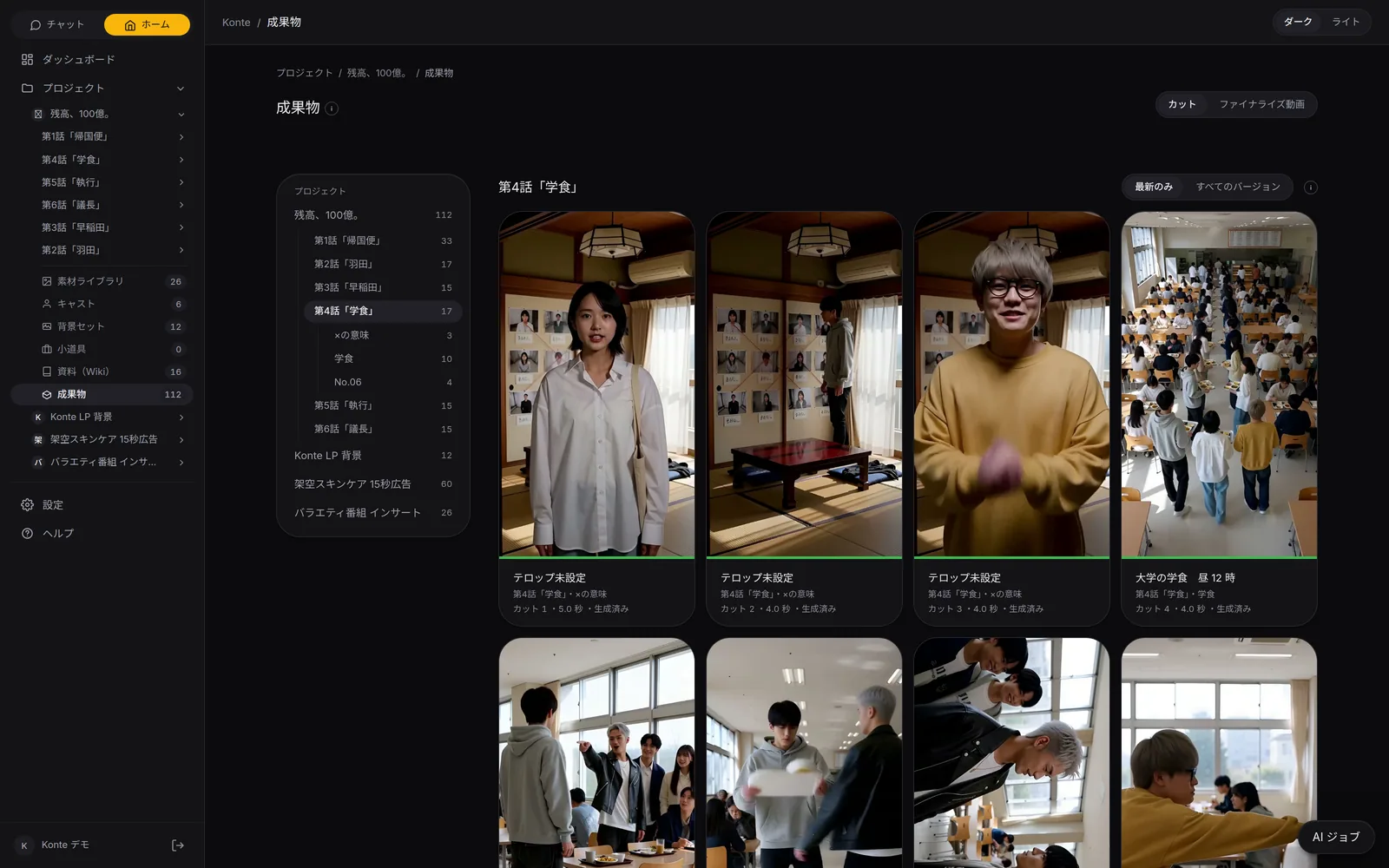
OutputsShots you take go to Outputs. Narrow them down by project → video → chapter.
02—THE CREWThe AI crew
From three readers to a whole crew
Script, direction, camera, captions: a different AI for each post. The one you talk to is the way in to all of them.
WRITER—01Script & breakdown
The AI that writes the plot
It builds your sentence out into a plot in the Wiki, and lists the roles, places and props in it.
Chat AI
SCRIPT READERS—01Script & breakdown
Three AIs that read the script
Three readers at once — the story's bones, a first-time viewer, whether it can be shot — and it's fixed before it reaches you.
Chat AI
BREAKDOWN—01Script & breakdown
The AI that breaks it into shots
Scenes into 8–10-second shots, shots into 2–4 panels, with the lines and the cast settled, straight into the shot list.
Chat AIYou press
CONTINUITY—01Script & breakdown
An AI that checks the flow, one that fixes it
Another AI reads only the pictures, lines and captions as a first-time viewer and flags where the story jumps. A second one fixes it.
Chat AI
ACTION DIRECTOR—02Storyboard
The action director
For each panel it settles the key moment, the speed and force of the move and the pose, and redraws the 3D mock-up at that moment.
Chat AI
CAMERA—02Storyboard
The framing AI (director of photography)
From the composition library it picks each panel's camera height, direction and where people stand, never the same framing twice in a row.
Chat AIYou press
PROPS—03Video generation
The props person's eye
Who holds what, whether it's on or rolling on the floor: the reading and breakdown AIs check it shot by shot, and rules to keep its look go with the render.
Chat AI
VFX—03Video generation
VFX directions
One of ten effects, such as bullet time, from the shot's VFX button. The prompt-writing AI writes in the moment it happens.
You
PROMPT WRITER—03Video generation
The AI that writes the prompt
It turns the shot's fields, panels, lines, camera, references and voices into an English prompt in the video model's official style, carrying over how the previous shot ended.
Chat AI
CAPTIONS—04Video editing
The caption editor
It listens to the shots and shows each caption only while its line is heard, restyling it to suit the video. The wording never changes.
Chat AI
EDITOR—04Video editing
The editor (you)
The finished shots in one line: trims, transitions, music, sound effects, inserts. Every change plays back on the spot.
You
03—EVERY SCREENThe AI on each screen
Someone to ask, on every screen
Cast, sets, shots, Wiki. Ask about whatever is open, right where you are.
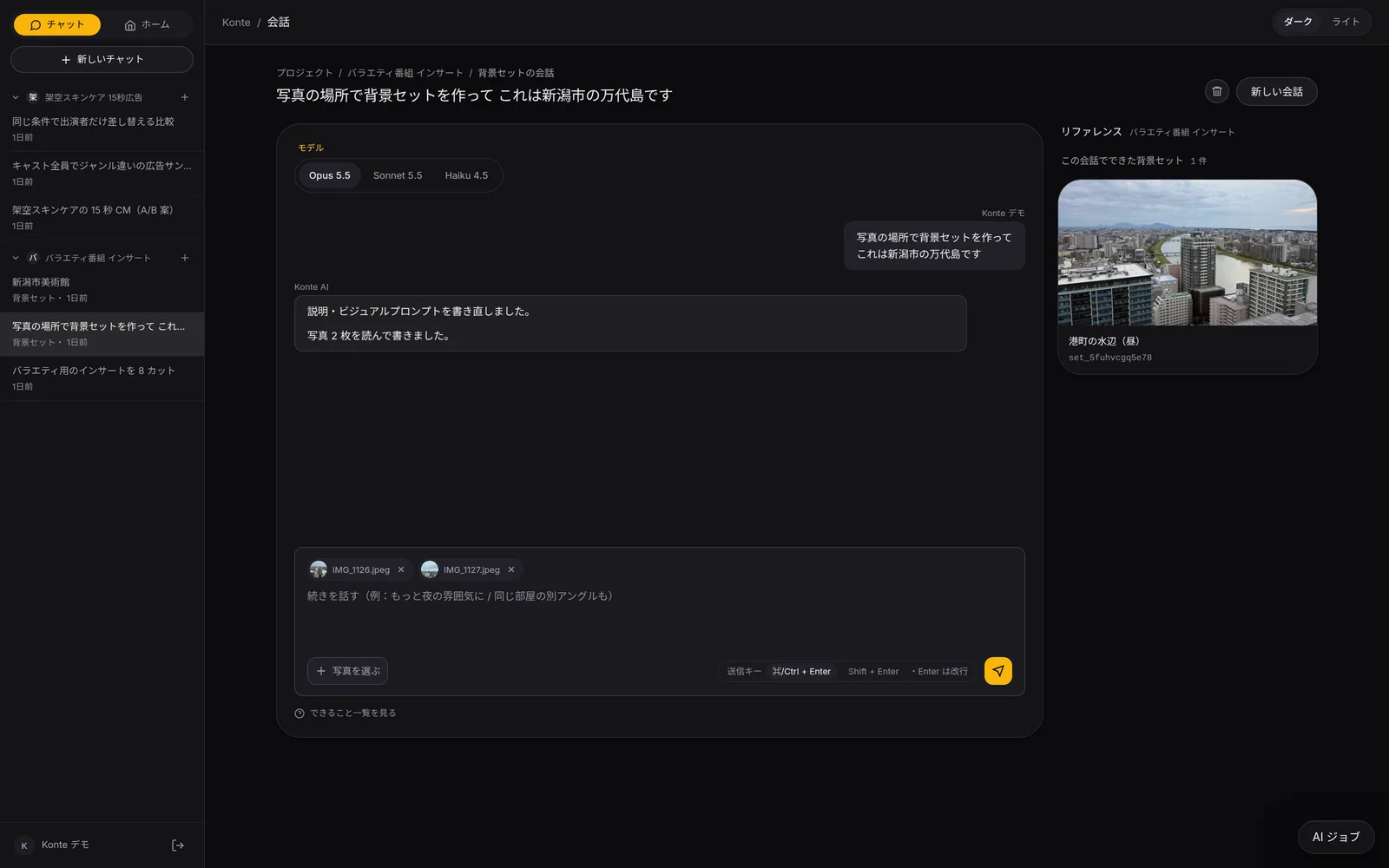
Make cast and places by talking
A photo or a few words — “this person”, “a place like this”. Cast, sets, props, voice actors and art styles are made one by one.
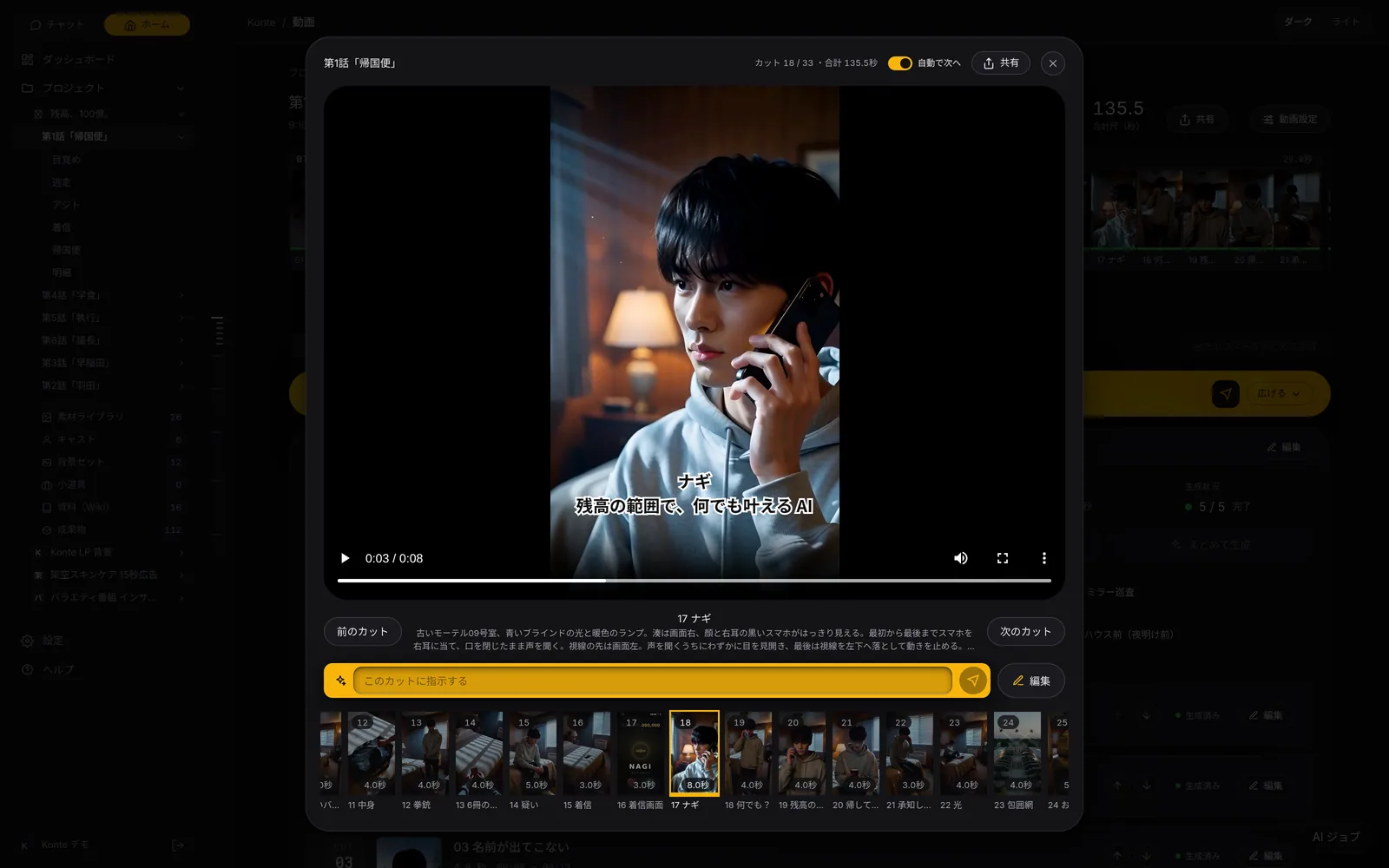
Direct a shot on the spot
Watch it and say “a bit closer”. The length, picture notes, captions and camera of that shot alone get rewritten.
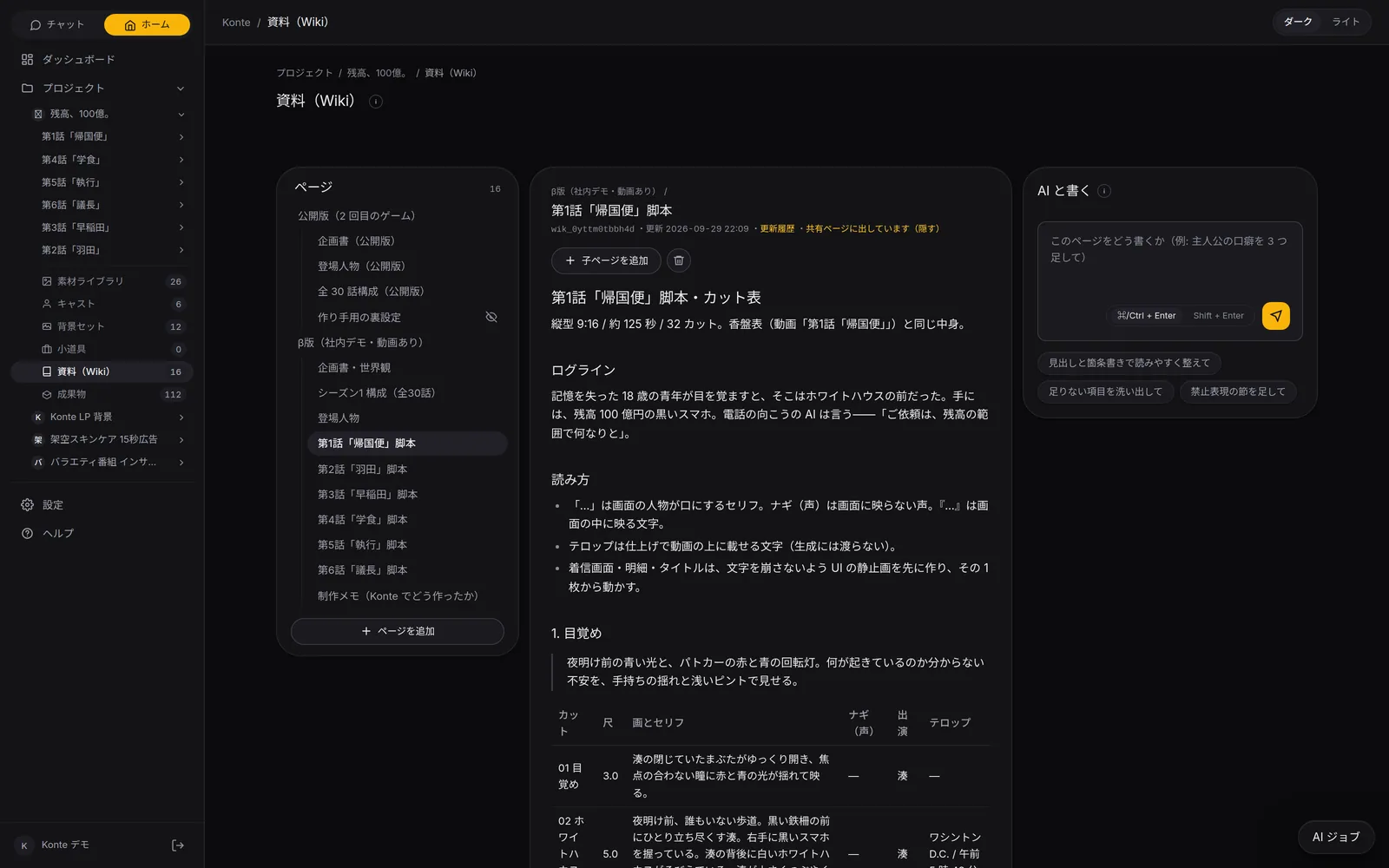
Write the Wiki together
Rewrite the open page with the AI; on each comment it answers with what it changed.
Reword it for the AI that draws
The visual prompt of a cast member or set is rewritten to suit the image AI that draws it.
04—MCPFrom outside AIs
The same studio, from your own AI
Connect Claude Code or Codex (ChatGPT) over MCP and run the same production from outside.
READ
Read projects, shot lists, the ledger and the Wiki
WRITE
Write videos, shots, cast and sets
DRAW
Have reference images drawn and the storyboard staged
RENDER
Start a render — only when asked
EDIT
Adjust the edit and finalize
Over MCP there is no permanent deleting, no file uploads, and no changing a shot while it renders.
05—YOUR CALLWhere you press
You press the buttons
The AI writes and draws. Moving on and rendering always wait for your button.
- Go with this plot
- Draw all the references
- Lay out the storyboard
- Render the video (with a confirm step)
- Finalize
In-app AIThe conversation runs on Claude on Konte's server (Opus 5.5 by default; Sonnet 5.5 or Haiku 4.5 per conversation).
FEATURESFeature pages
THE FIVE STEPS
ASSISTANT
Tell it your idea, and the AI crew lines up everything from the script to the edit. You check, and press.
- The AI that writes the plot
- Three AIs that read the script
- The AI that breaks it into shots
- An AI that checks the flow, one that fixes it
- The action director
- The framing AI (director of photography)
- The props person's eye
- VFX directions
- The AI that writes the prompt
- The caption editor
- The editor (you)
GET STARTEDStart here
Your film studio, starting today
Start by creating a single cast member. We're happy to talk it through.