ASSISTANTAssistant
Talk, and the studio gets to work
Tell it your idea, and the AI lines up the cast and the storyboard. You check, and press.
01—ONE CHATOne conversation
One conversation, start to finish
From your first sentence through cast, sets and storyboard to the video — all in the same conversation.
- 01 TALKSay it in a sentenceYou
- 02 PLOTA plot gets writtenChat AI
- 03 REVIEWThree readers fix itChat AI
- 04 BREAKDOWNIt's broken into shotsChat AI
- 05 CAST & SETSFaces and places get drawnImage AI
- 06 STORYBOARDThe storyboard gets drawnImage AI
- 07 RENDERIt becomes videoVideo AI
- 08 KEEPIt stays on the shelfYou
01—TALK
Say it in a sentence
What you want to make, in one sentence. Attach photos, cast or sets if you like.
You
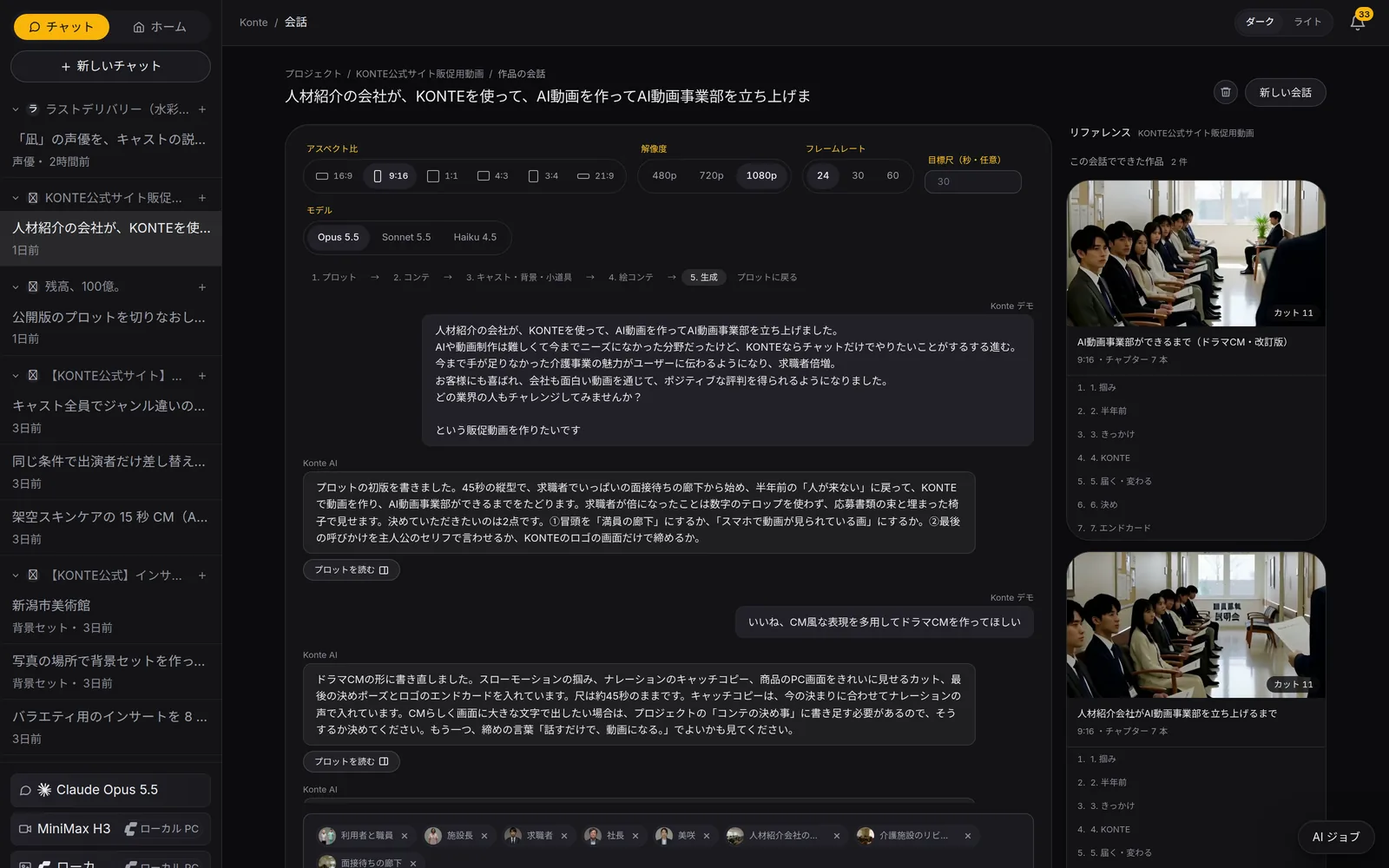
ChatWrite what you want to make as it comes; the AI writes a plot and asks you what to decide. The bar at the top shows the stage you're at. 02—PLOT
A plot gets written
The AI writes a plot and asks you what to decide. It also lists the roles, places and props in it.
Chat AI
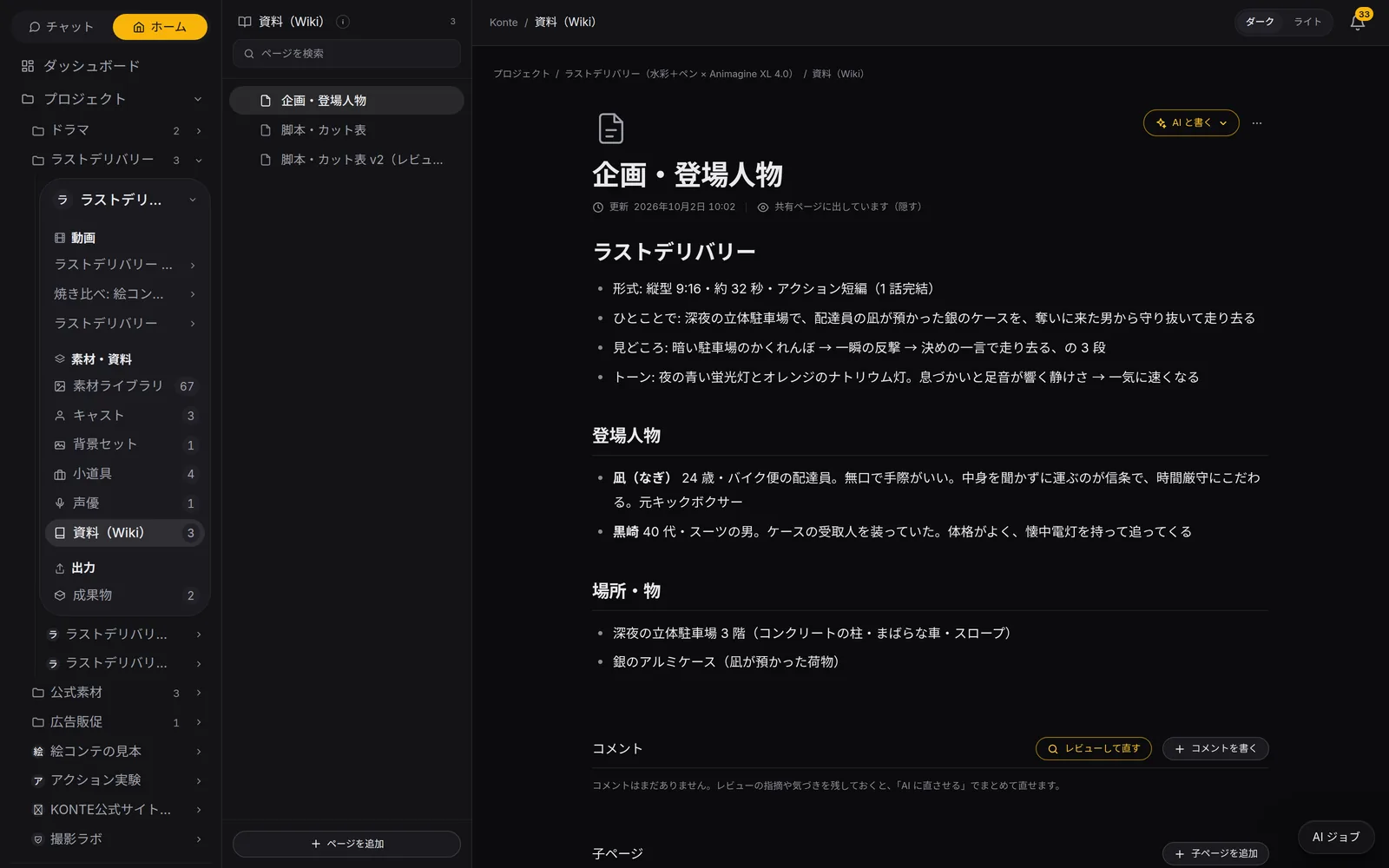
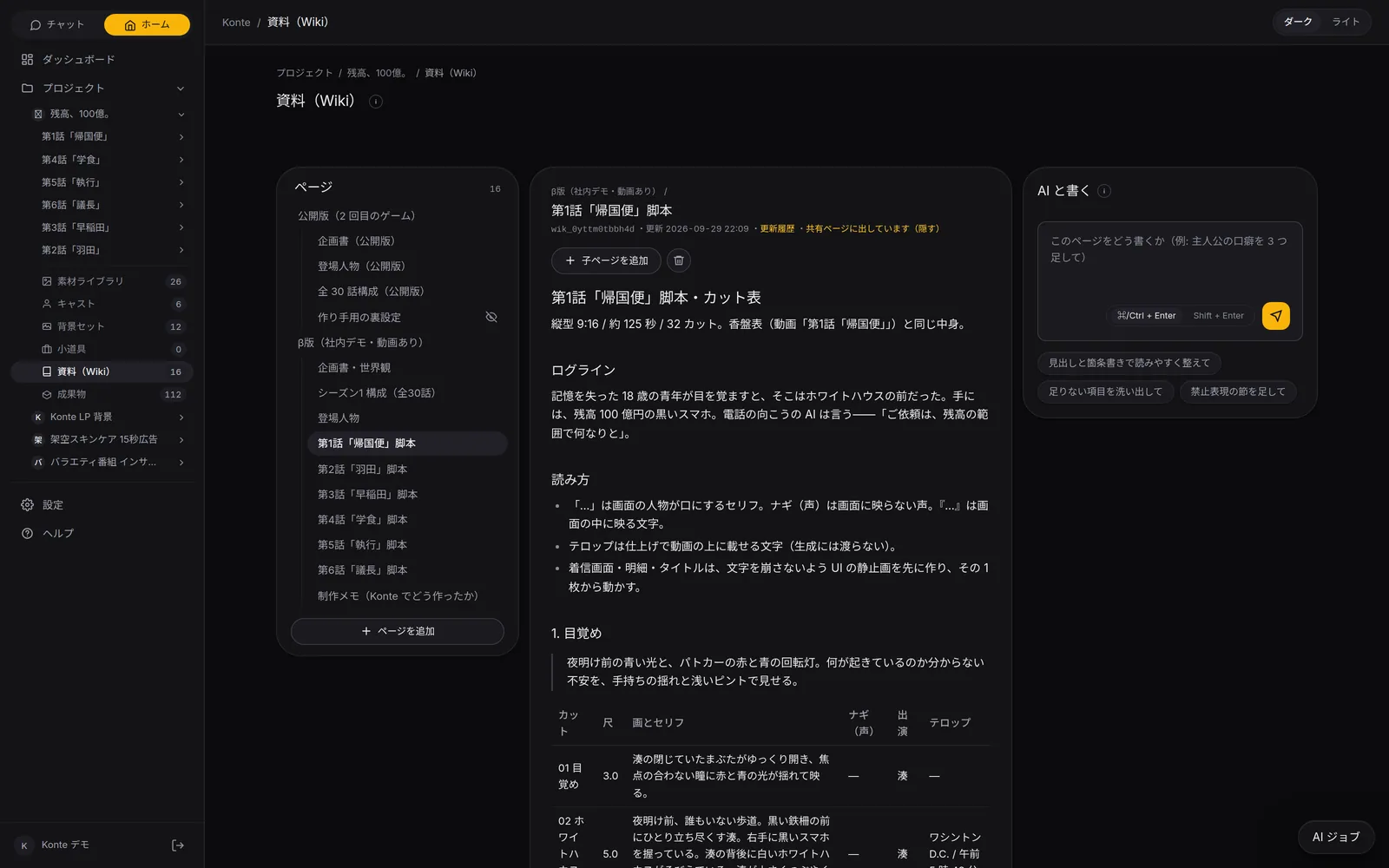
WikiThe pitch, characters and script live on Wiki pages: format, logline, highlights and tone, all written out. 03—REVIEW
Three readers fix it
Three more AIs read it for the story's bones, a first-time reader and whether it can be shot, then hand you the fixed version.
Chat AI
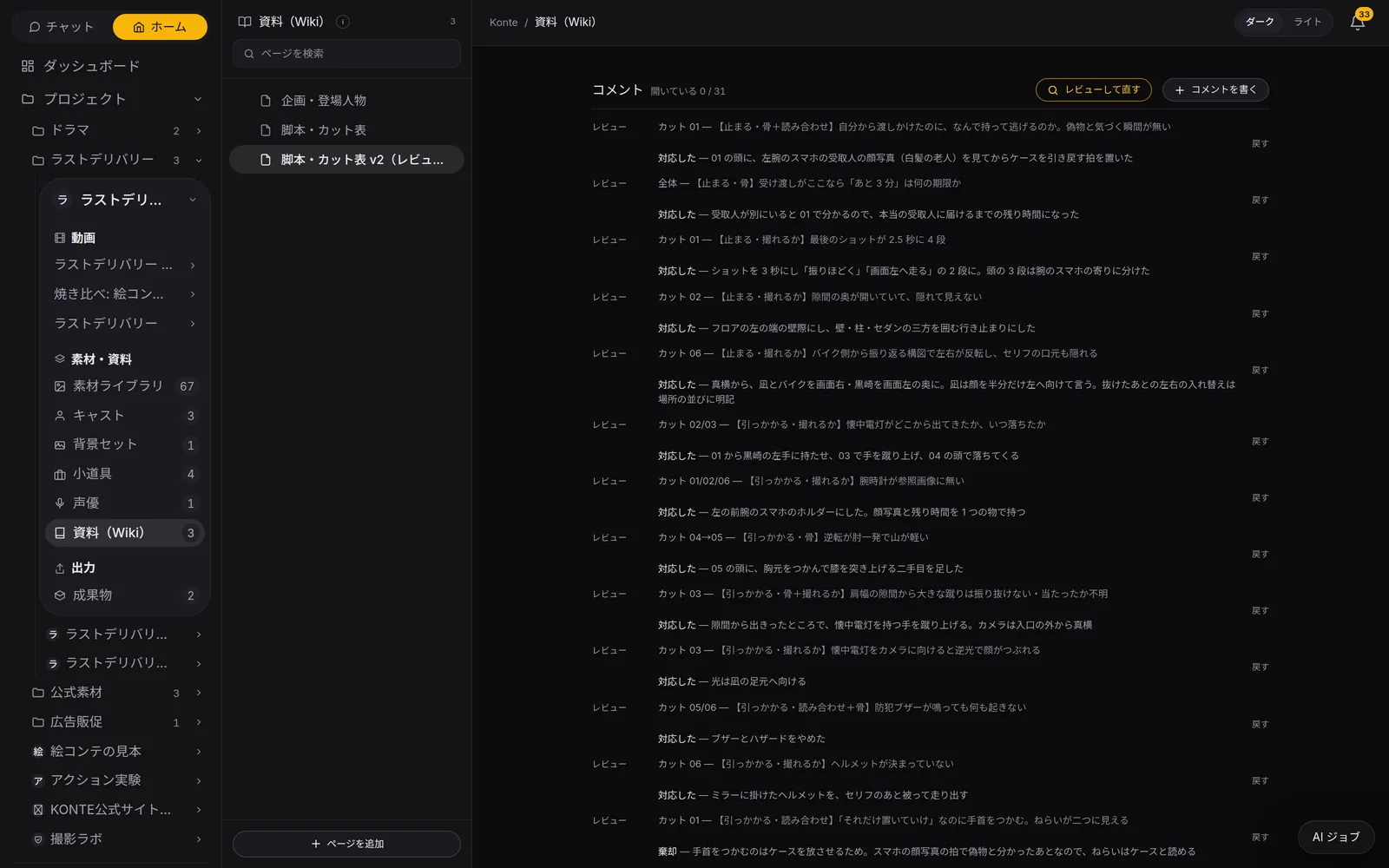
Script reviewThe three reviewers' notes land as comments on the page. All 31 notes here are closed, each with what was changed (対応した, done) or why not (棄却, declined). 04—BREAKDOWN
It's broken into shots
Press “Go with this plot” and the shots, lengths, lines and speakers land in the shot list. Missing roles and places are set up too.
Chat AIYou press
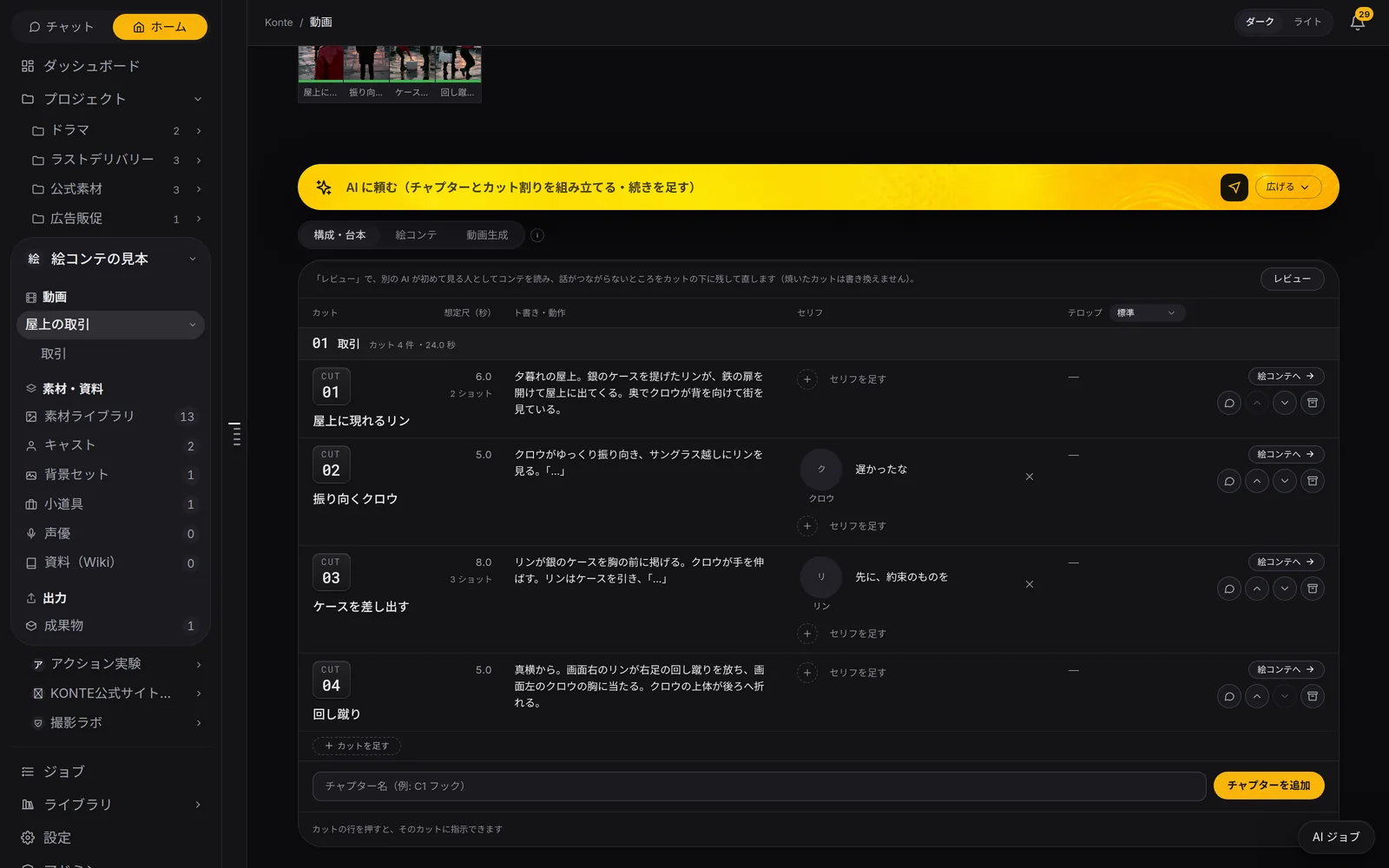
Script & breakdownAction, lines with their speakers and length for every shot, on one table. Press “Review” (レビュー) and another AI reads it again as a first-time viewer. 05—CAST & SETS
Faces and places get drawn
One batch, and the image AI draws each cast member's face and profile sheet, the sets and the props.
Image AIYou press
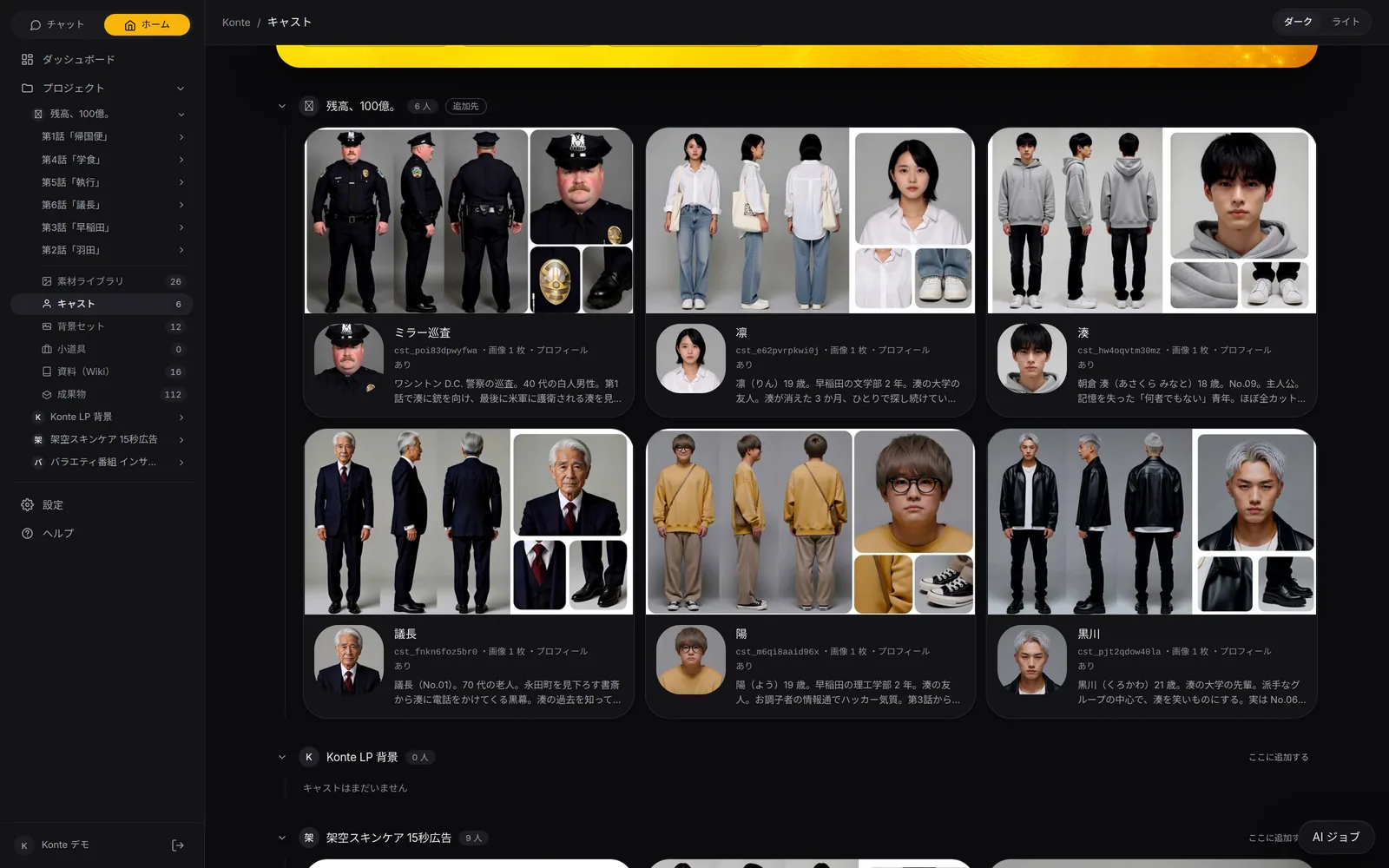
CastThe 6 people who appear across all 6 episodes. Turnaround profile sheets show who looks like what at a glance. 06—STORYBOARD
The storyboard gets drawn
One panel per shot. The first panel becomes the video's first frame.
Image AIYou press
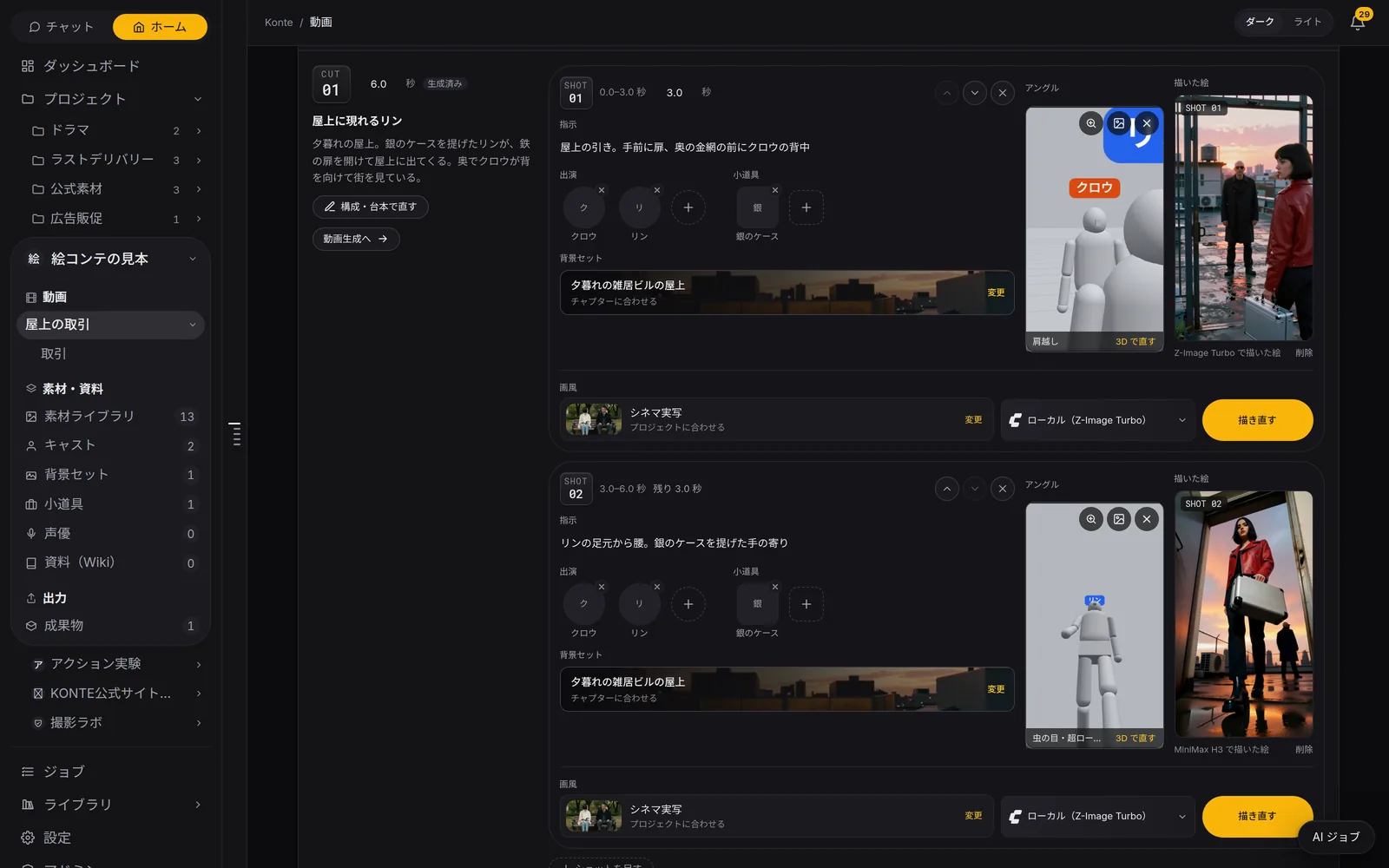
StoryboardEach shot splits into panels, and the image AI draws them one by one from the angle set in 3D. You can pick the engine for each panel. 07—RENDER
It becomes video
Check it, press, and the shots render together. Rendering always starts on your signal.
Video AIYou press
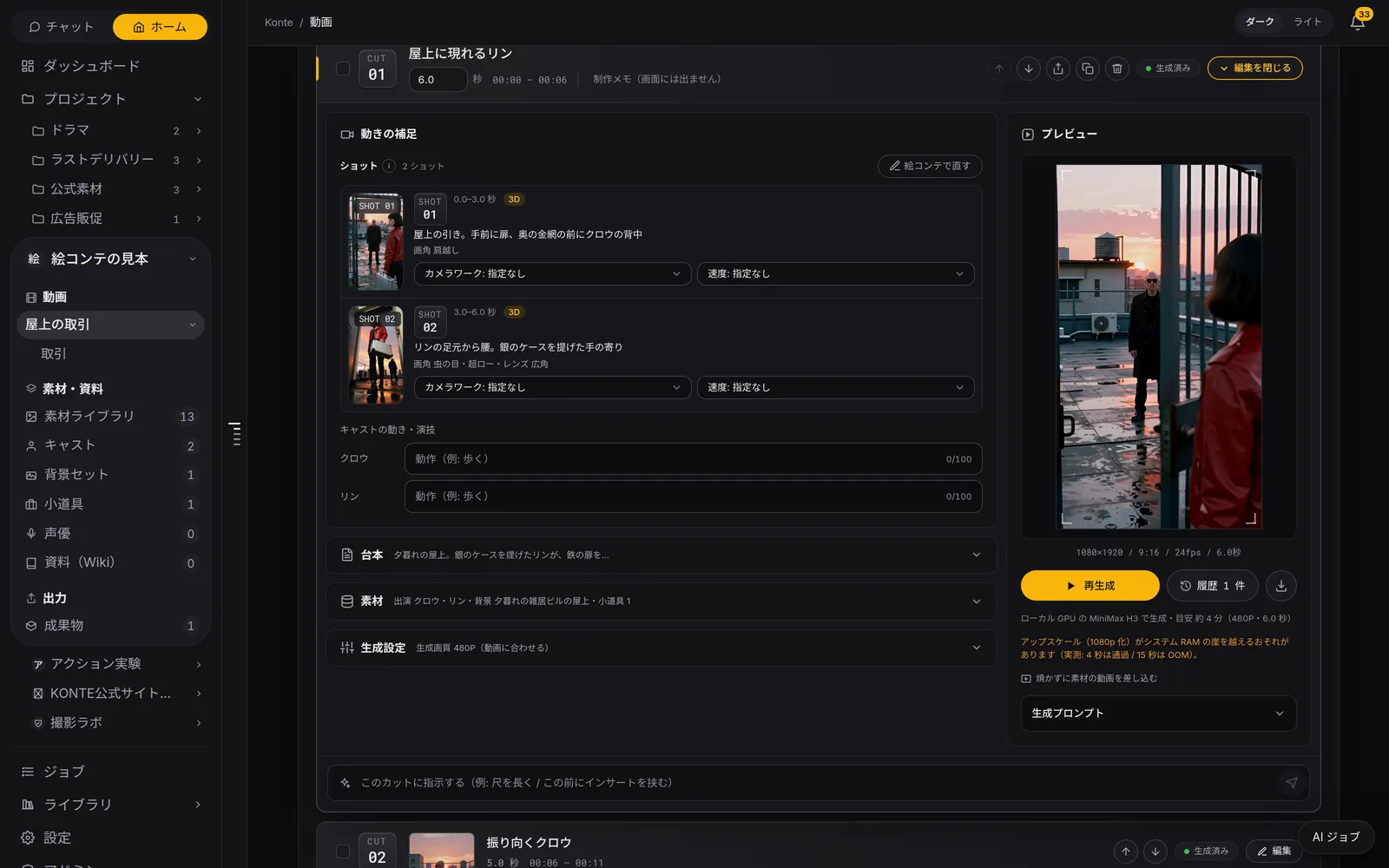
RenderAdd the camera move, speed and the cast's acting to the storyboard panels, then render. Where it renders and how long it takes sit under the button. 08—KEEP
It stays on the shelf
The video sits beside the conversation, the shots in Outputs. The cast and sets are ready for your next piece.
You
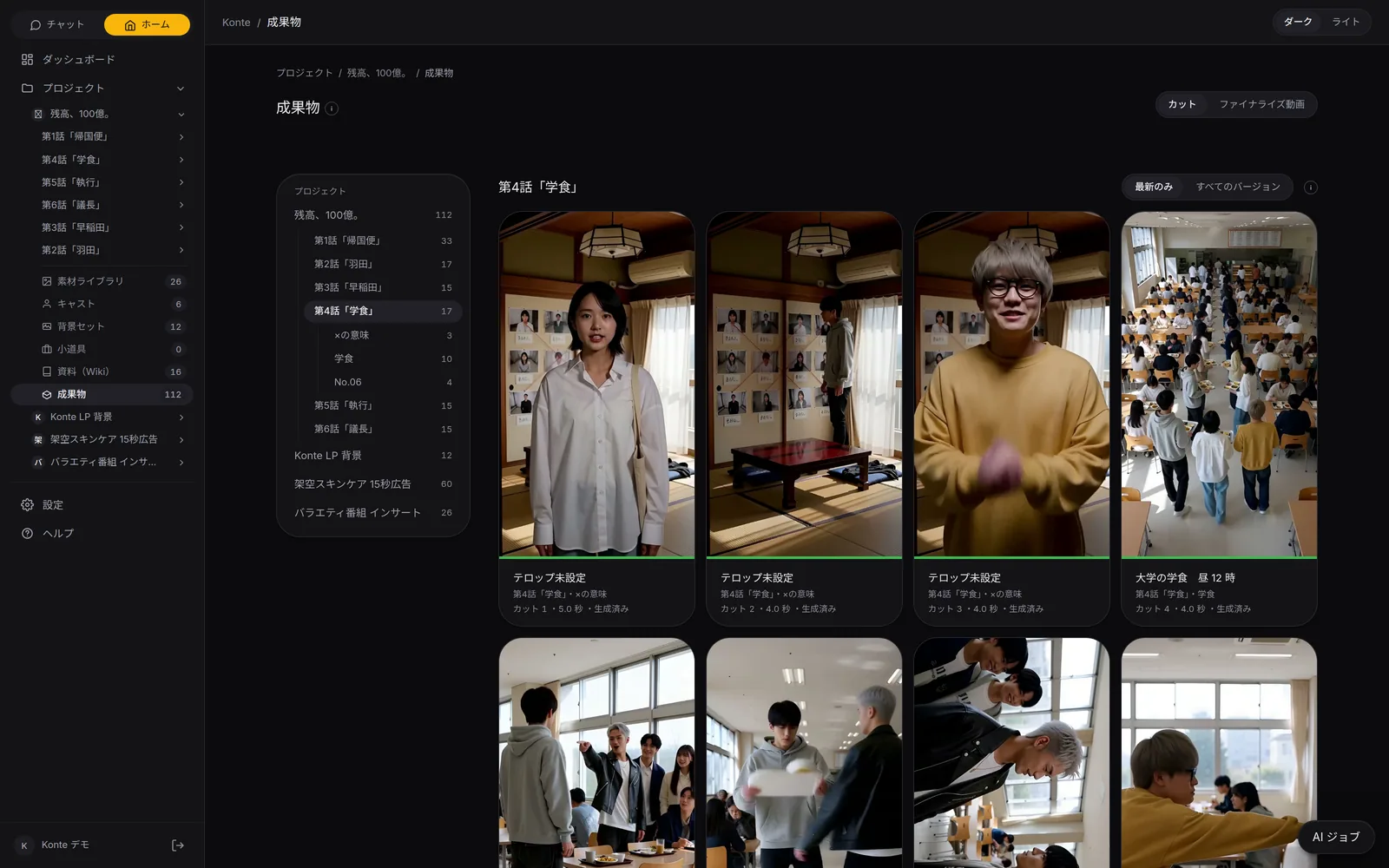
OutputsShots you take go to Outputs. Narrow them down by project → video → chapter.
02—EVERY SCREENThe AI on each screen
Someone to ask, on every screen
Cast, sets, shots, Wiki. Ask about whatever is open, right where you are.
Make cast and places by talking
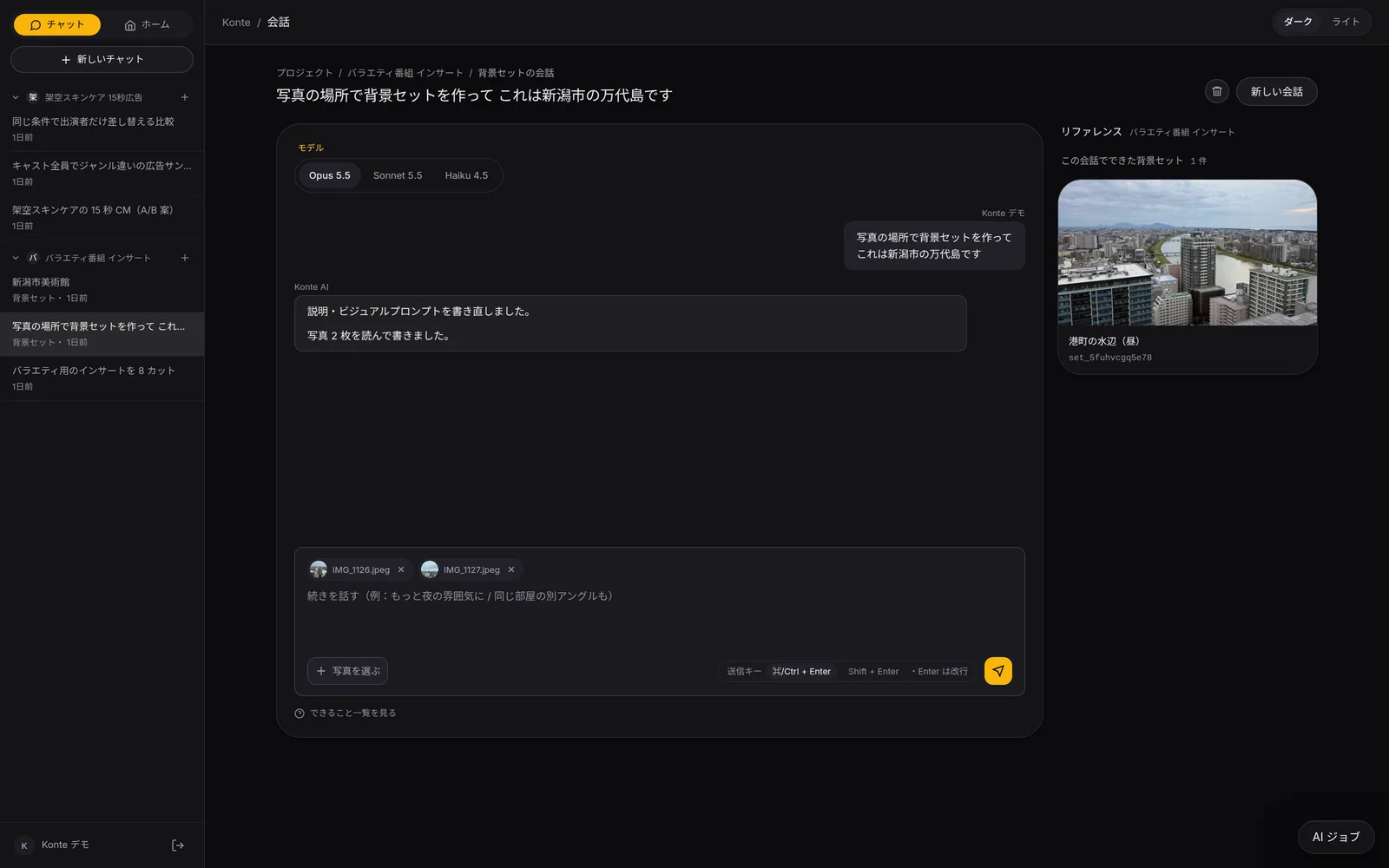
A photo or a few words — “this person”, “a place like this”. Cast, sets, props, voice actors and art styles are made one by one.
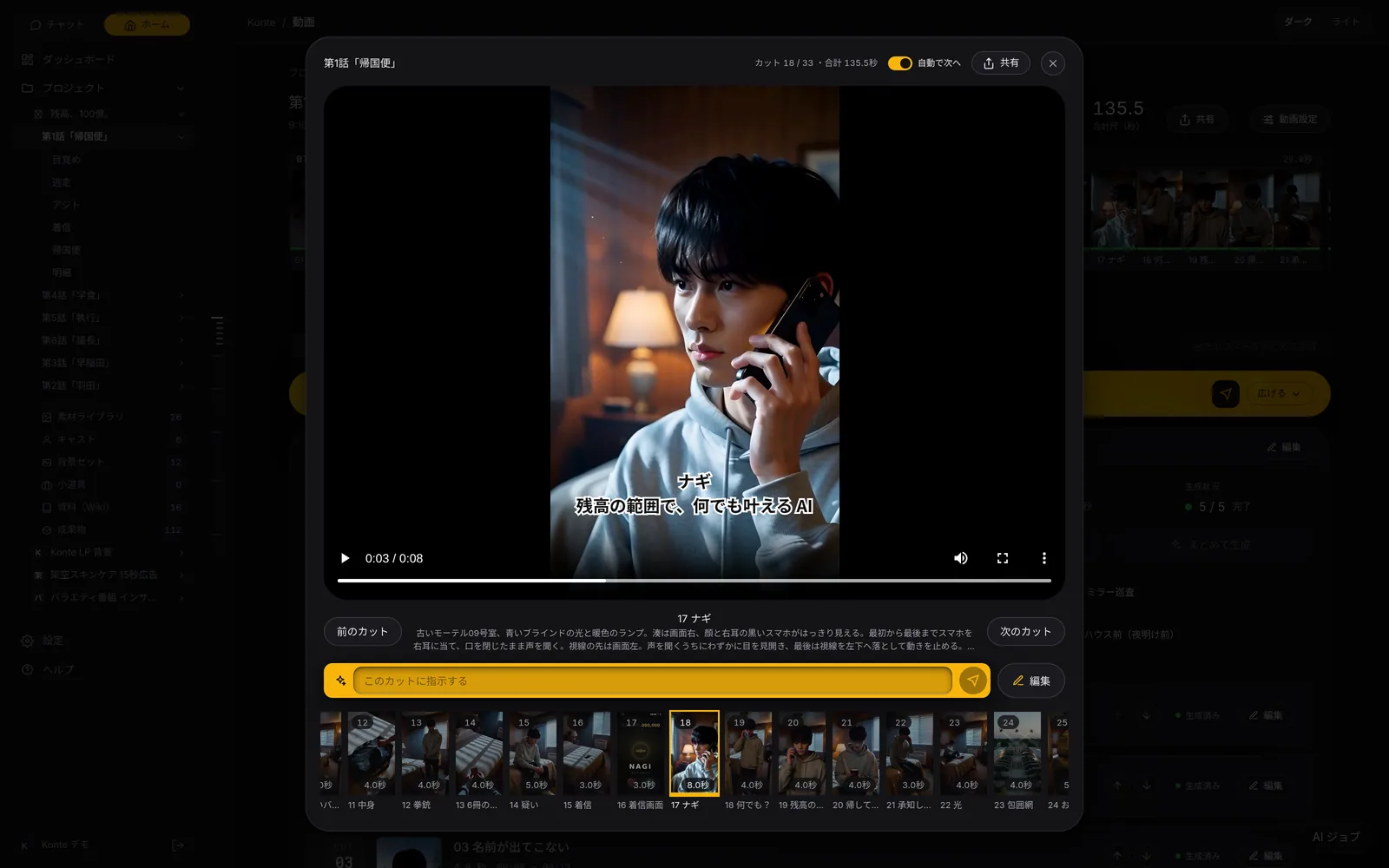
Direct a shot on the spot
Watch it and say “a bit closer”. The length, picture notes, captions and camera of that shot alone get rewritten.
Write the Wiki together
Rewrite the open page with the AI; on each comment it answers with what it changed.
Reword it for the AI that draws
The visual prompt of a cast member or set is rewritten to suit the image AI that draws it.
03—MCPFrom outside AIs
The same studio, from your own AI
Connect Claude Code or Codex (ChatGPT) over MCP and run the same production from outside.
READ
Read projects, shot lists, the ledger and the Wiki
WRITE
Write videos, shots, cast and sets
DRAW
Have reference images and storyboards drawn
RENDER
Start a render — only when asked
Over MCP there is no permanent deleting, no file uploads, and no changing a shot while it renders.
04—YOUR CALLWhere you press
You press the buttons
The AI writes and draws. Moving on and rendering always wait for your button.
- Go with this plot
- Draw all the references
- Draw the storyboard
- Render the video (with a confirm step)
In-app AIThe conversation runs on Claude on Konte's server (Opus 5.5 by default; Sonnet 5.5 or Haiku 4.5 per conversation).
GET STARTEDStart here
Your film studio, starting today
Start by creating a single cast member. We're happy to talk it through.